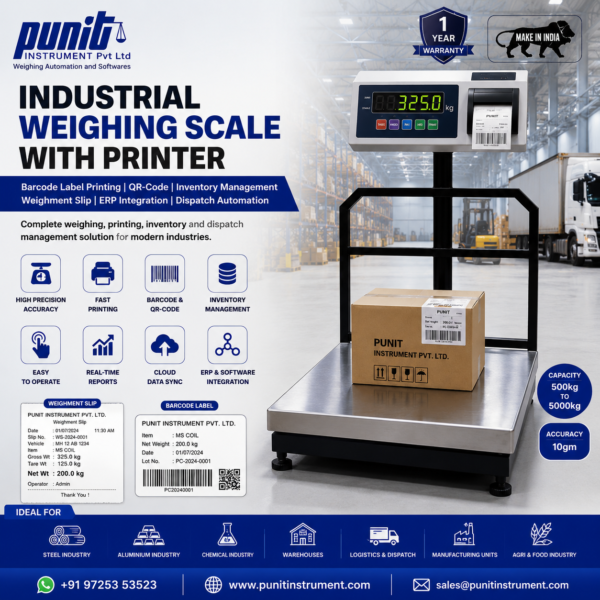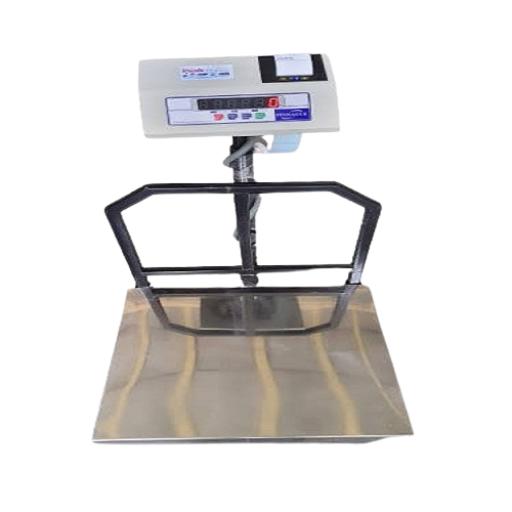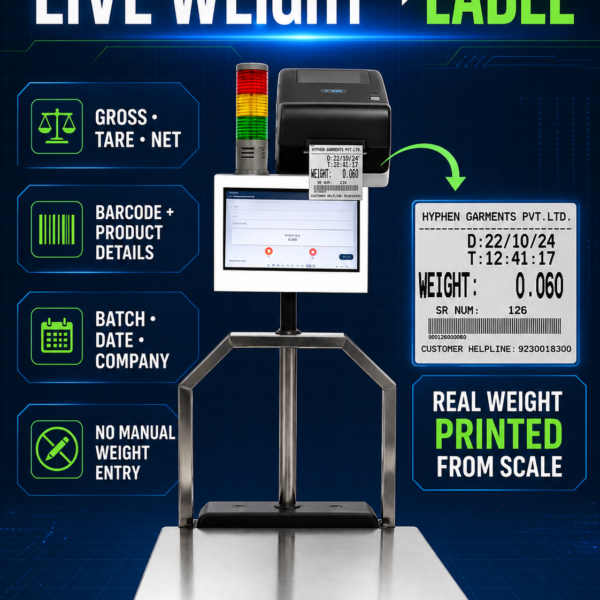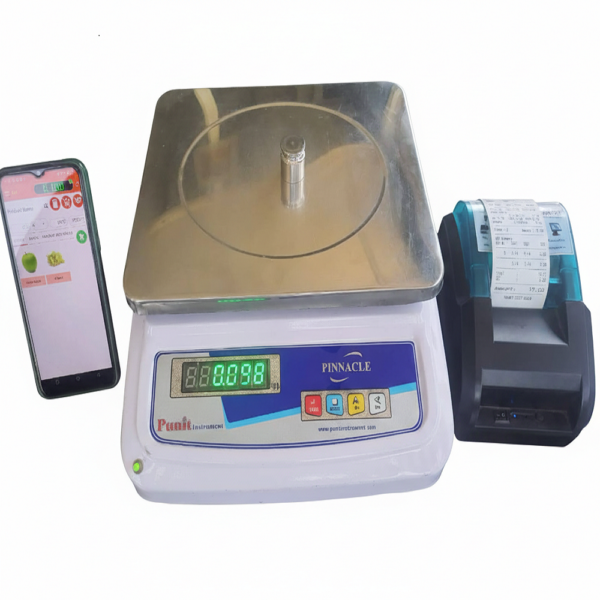

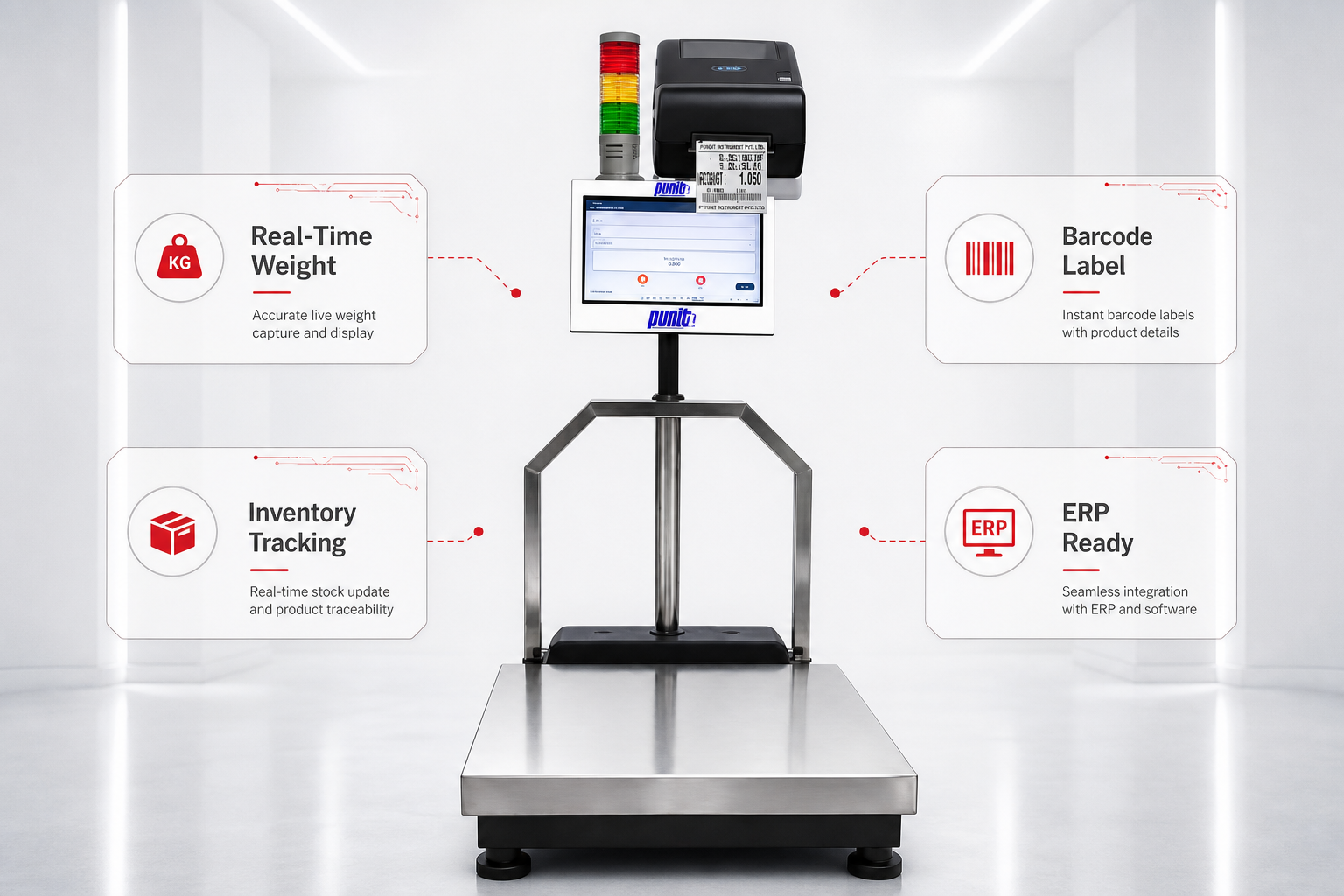
Punit Weighing Scale With Printer
( Touchscreen Based )
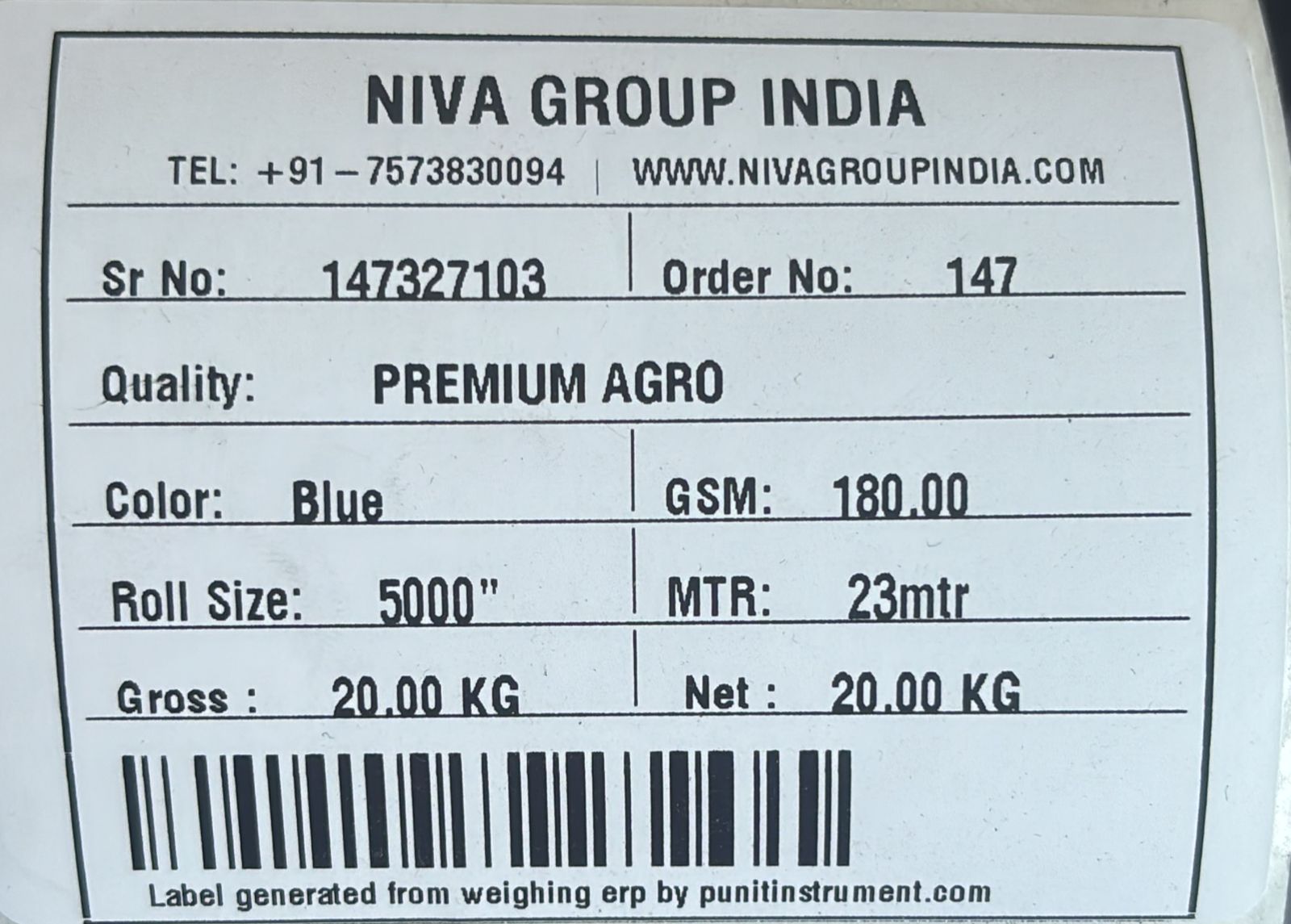
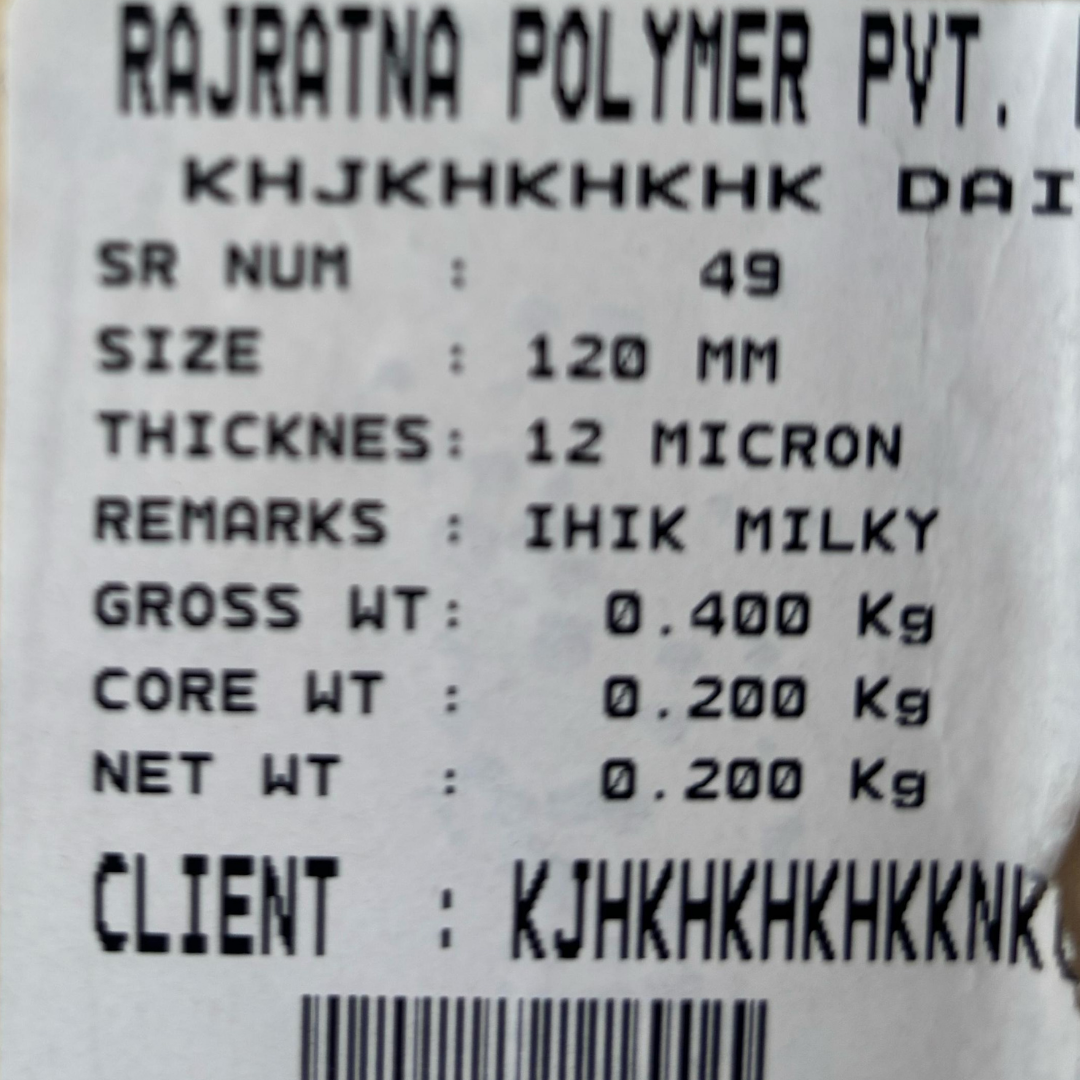
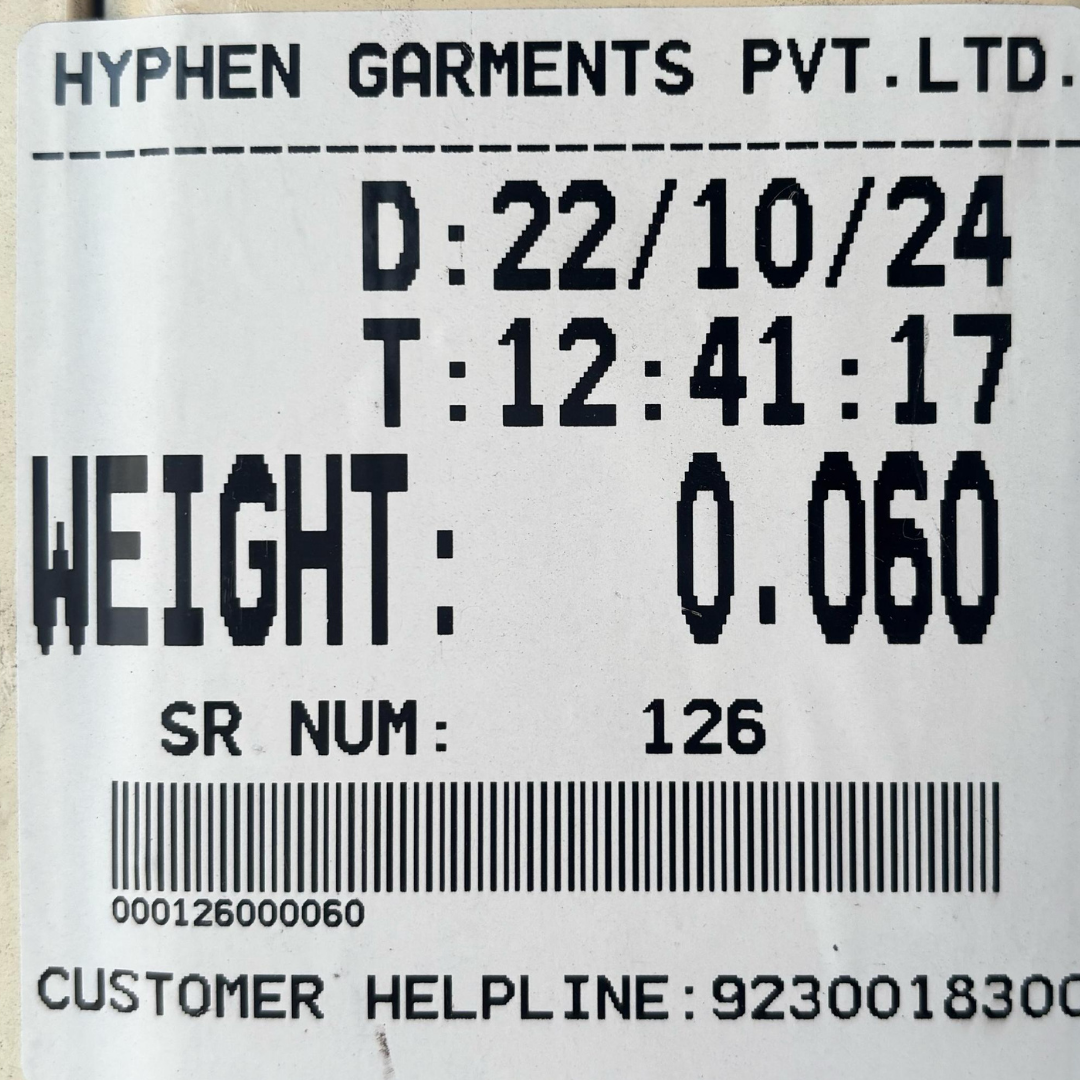
Few Of Our Client’s Label Samples Generated From Our Punit Weighing Scale With Printer Solution
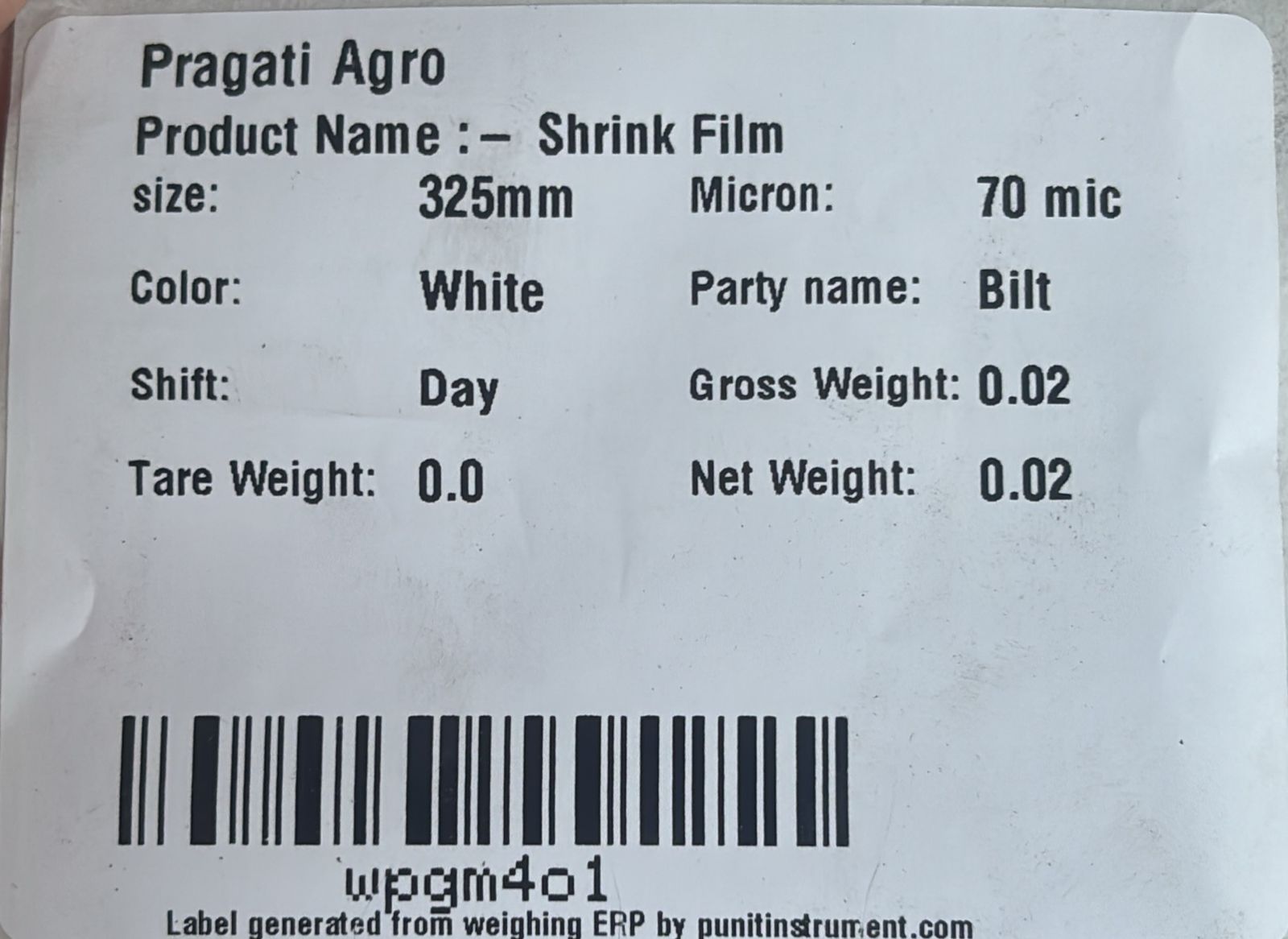
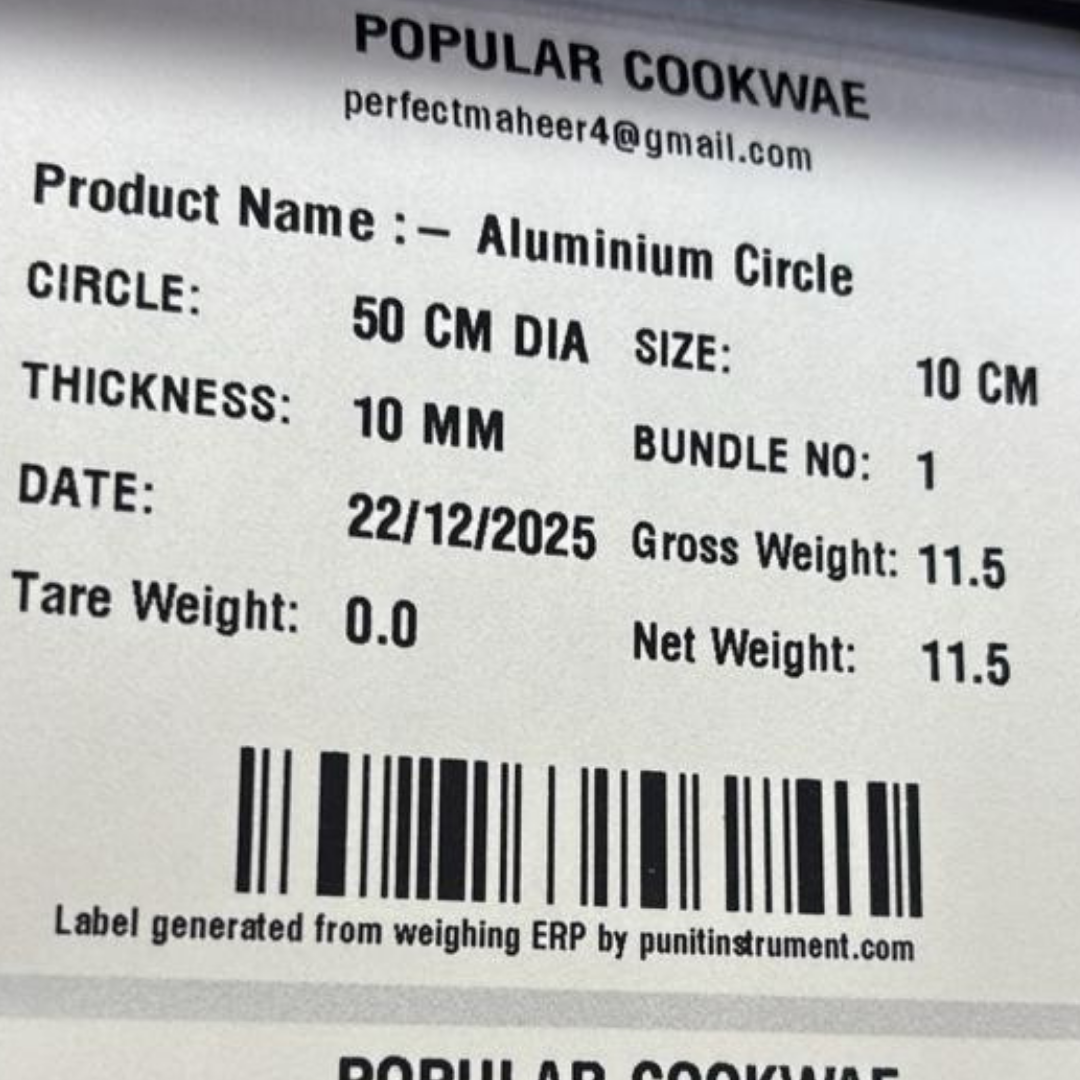
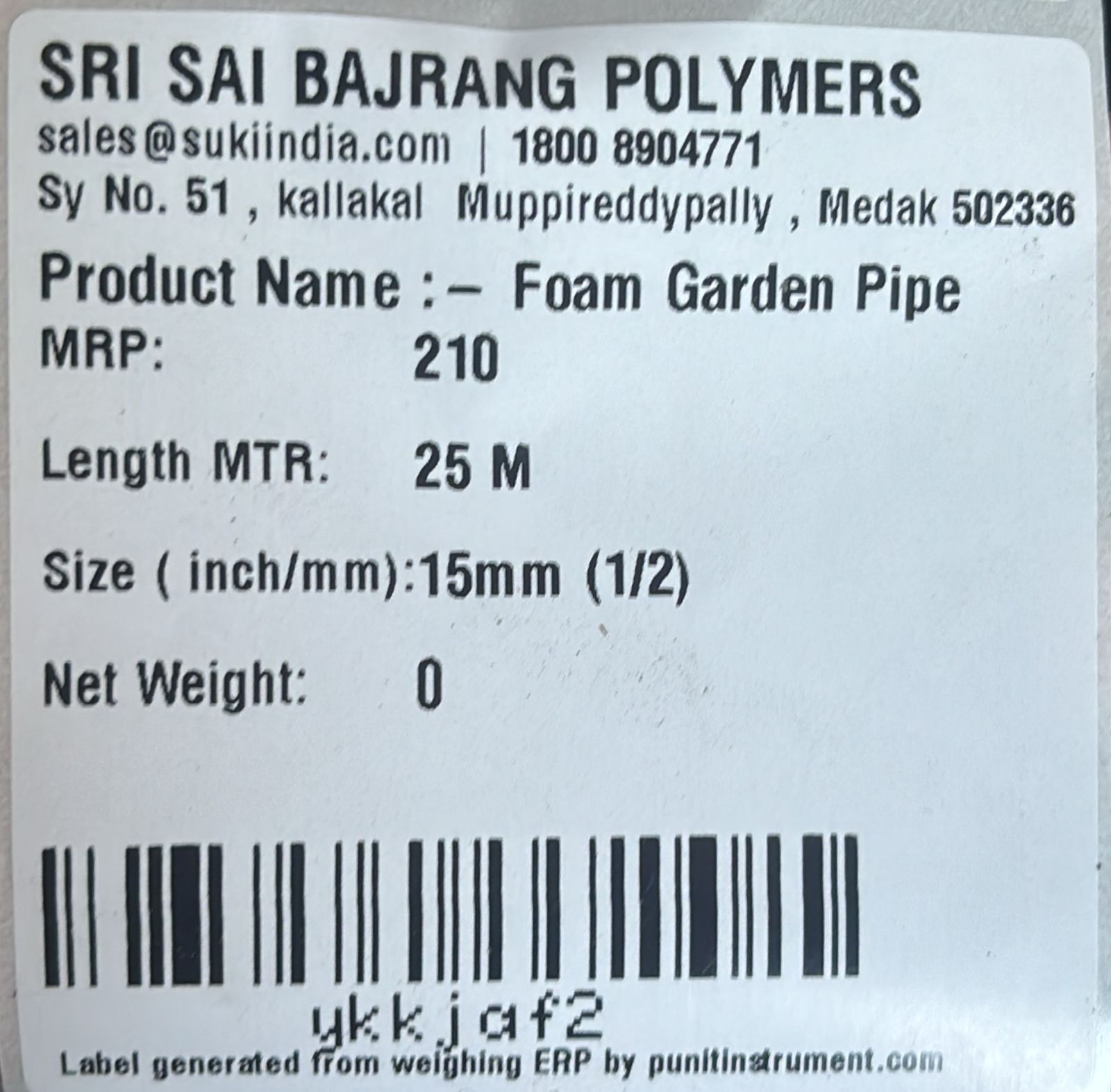
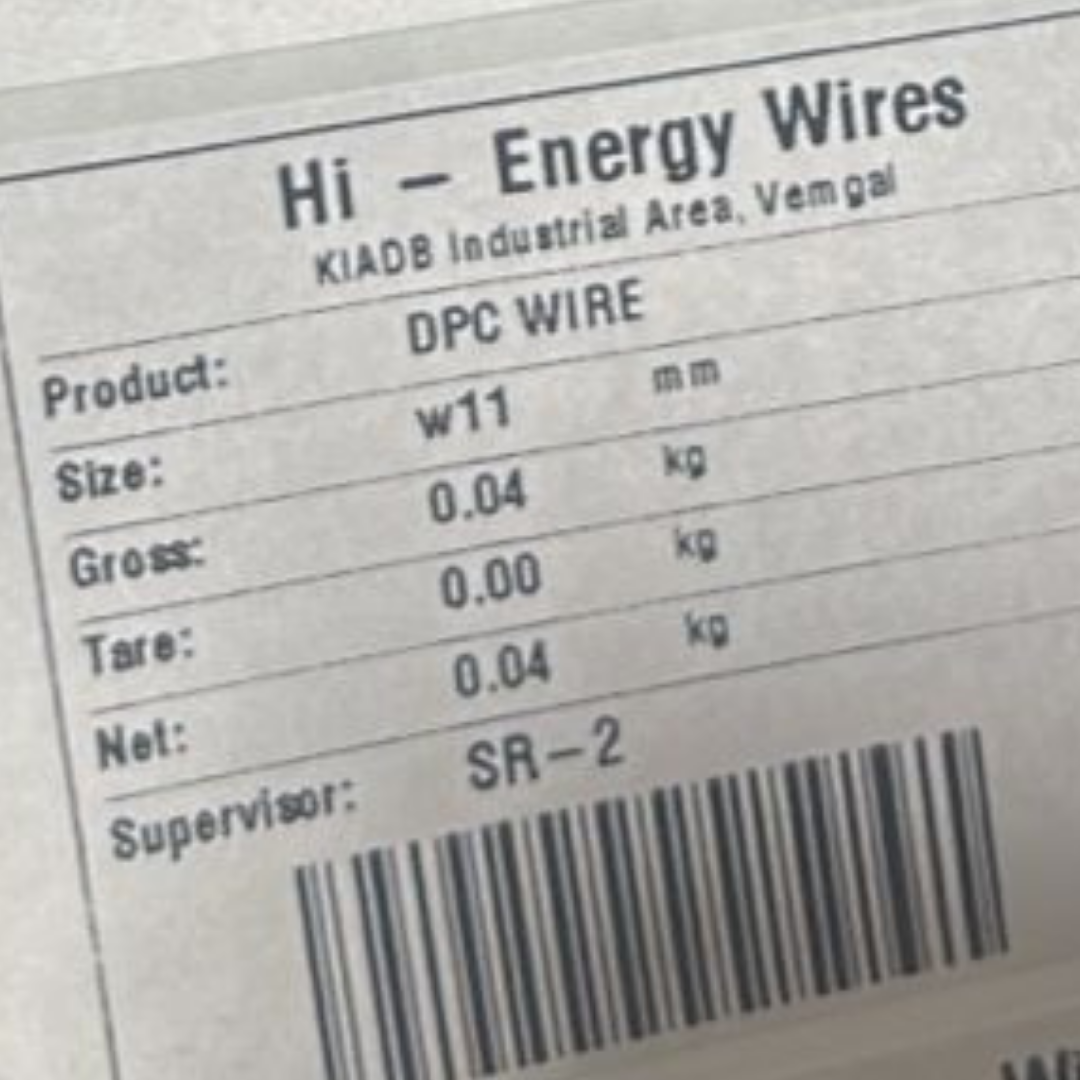
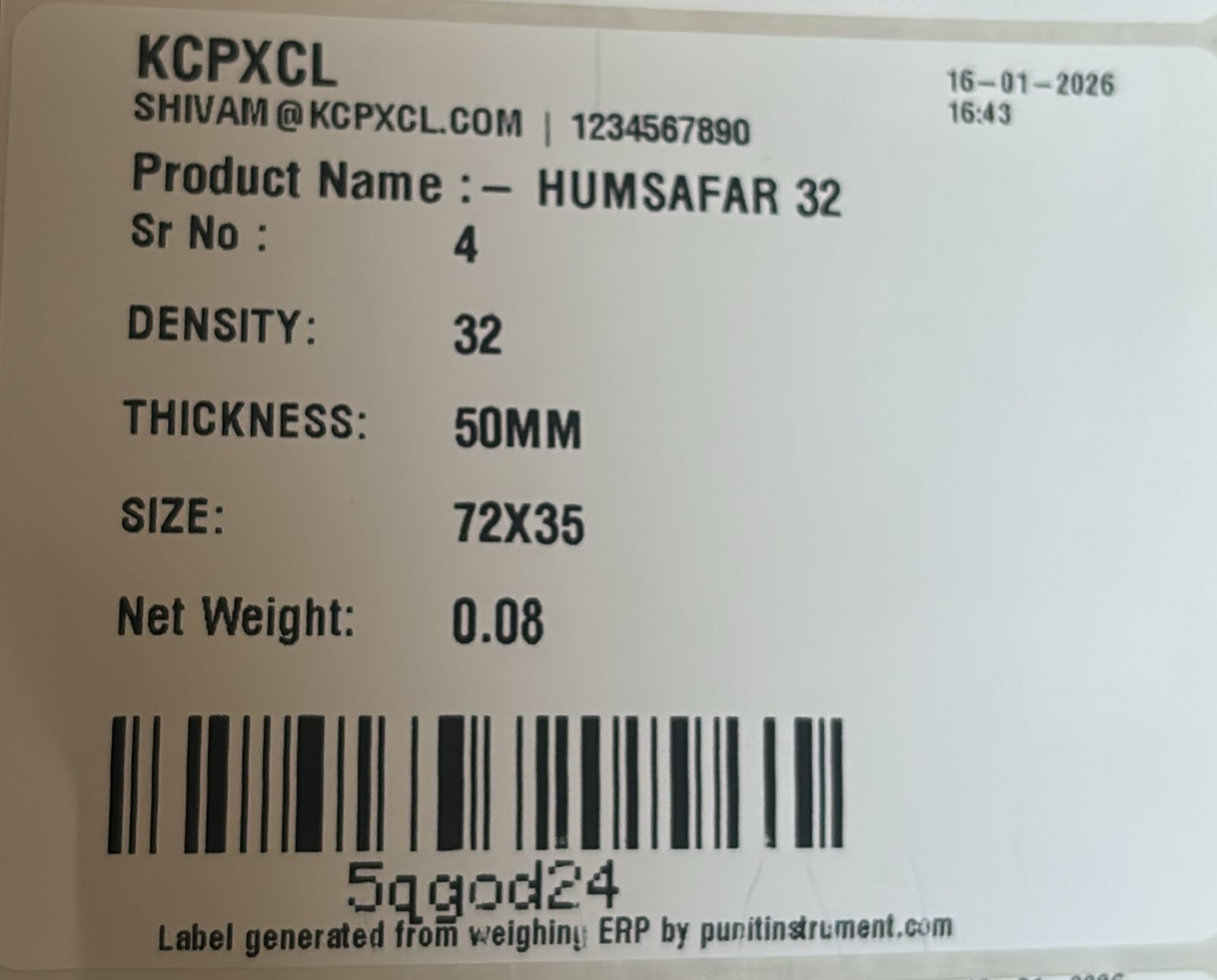
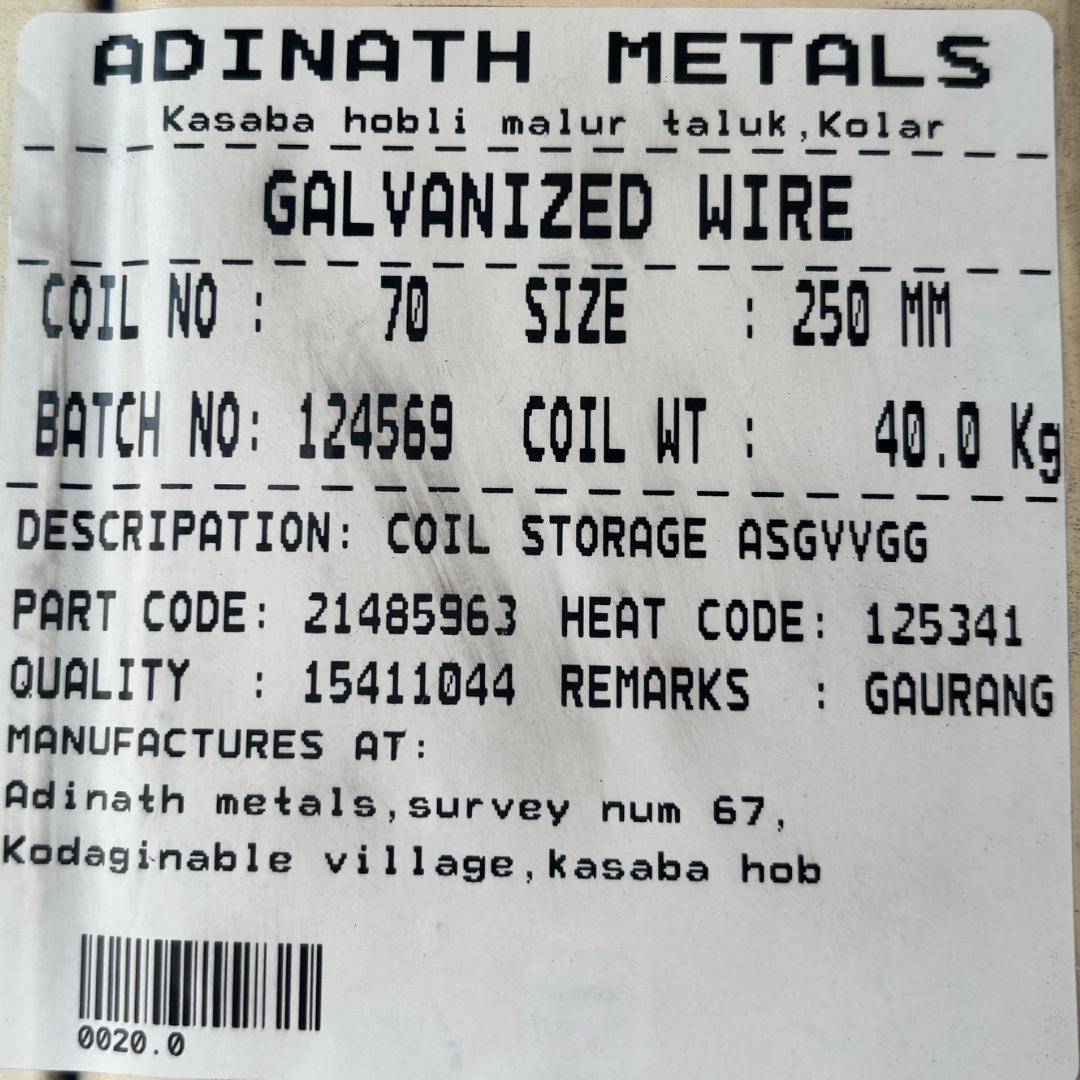
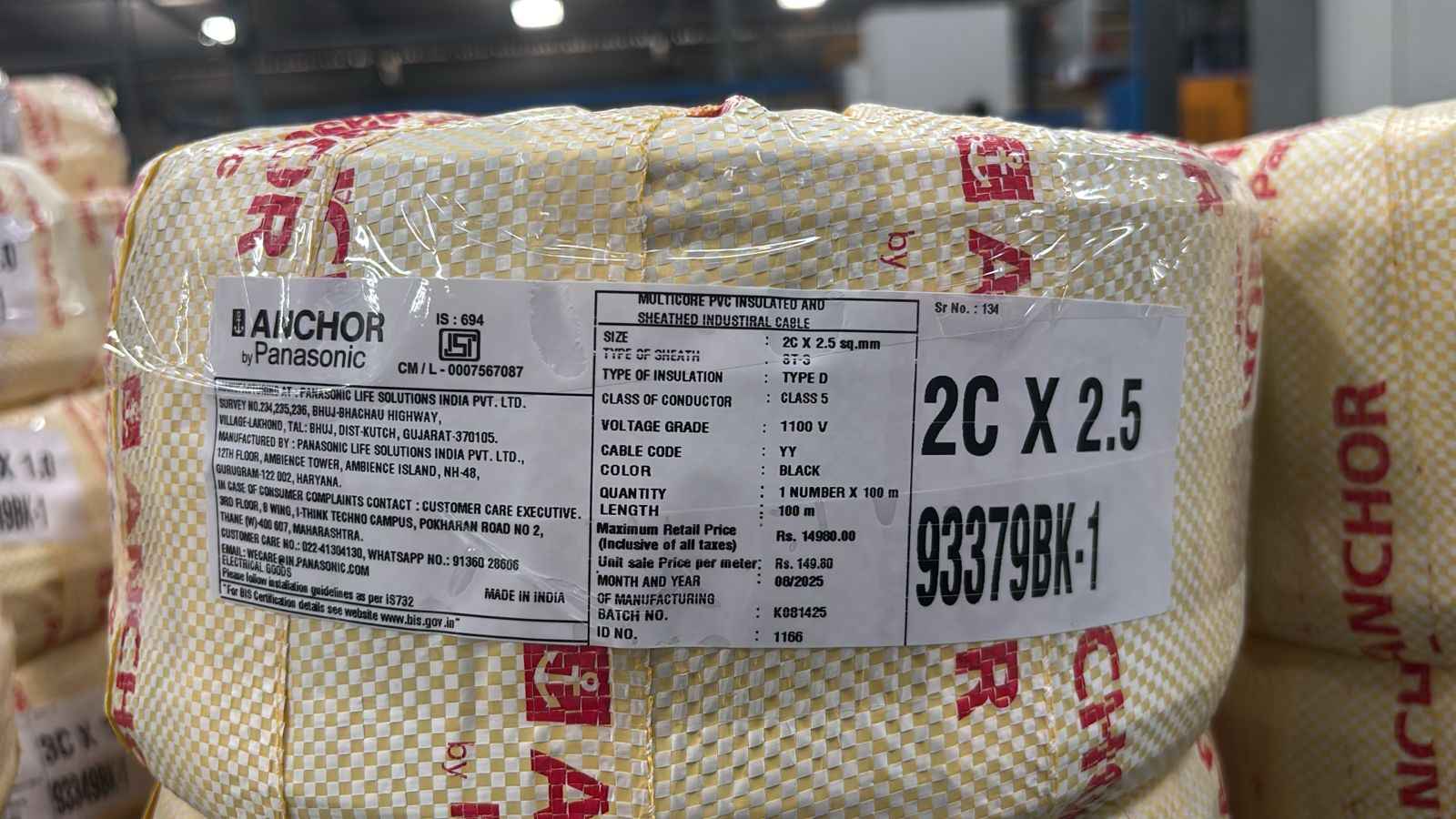
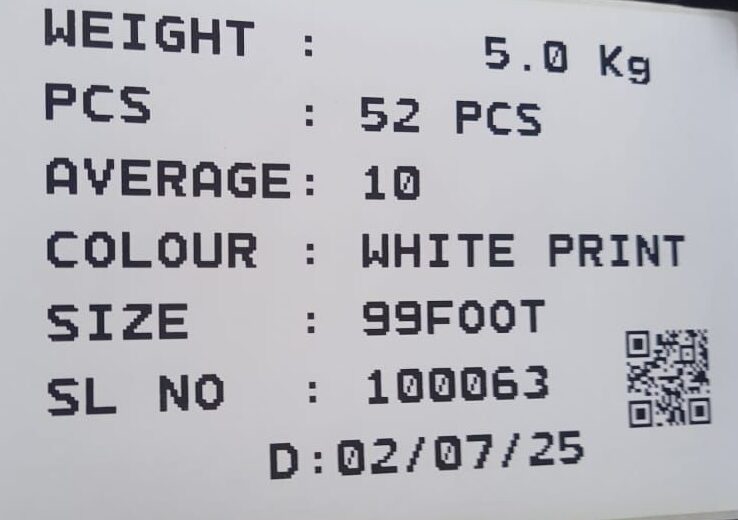
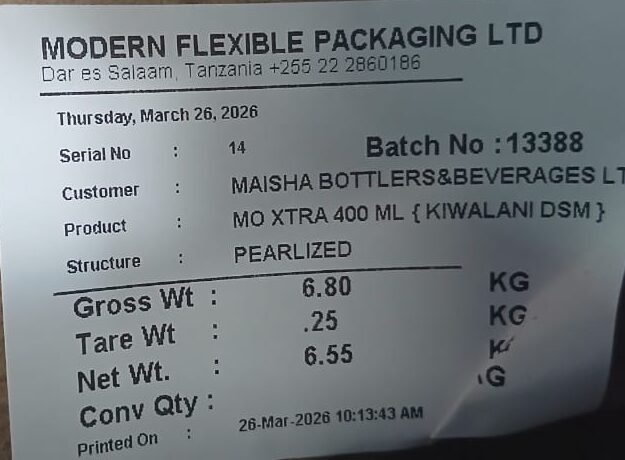
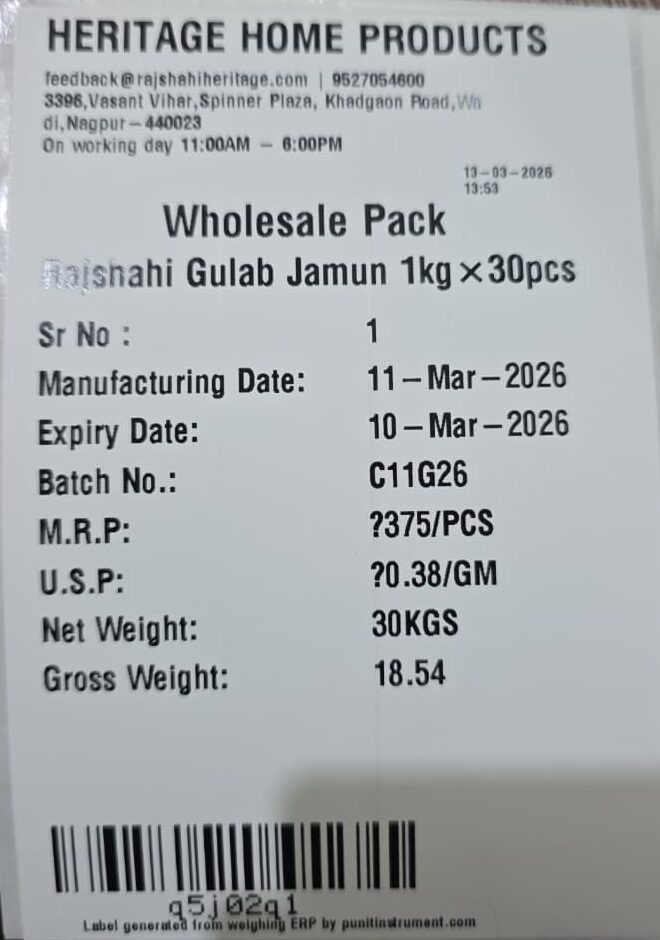
Live Demo Of Our Punit Weighing Scale With Printer
In this video we have shown how does our weighing scale with printer print labels , and we have also shown how do we track live inventory of our system !
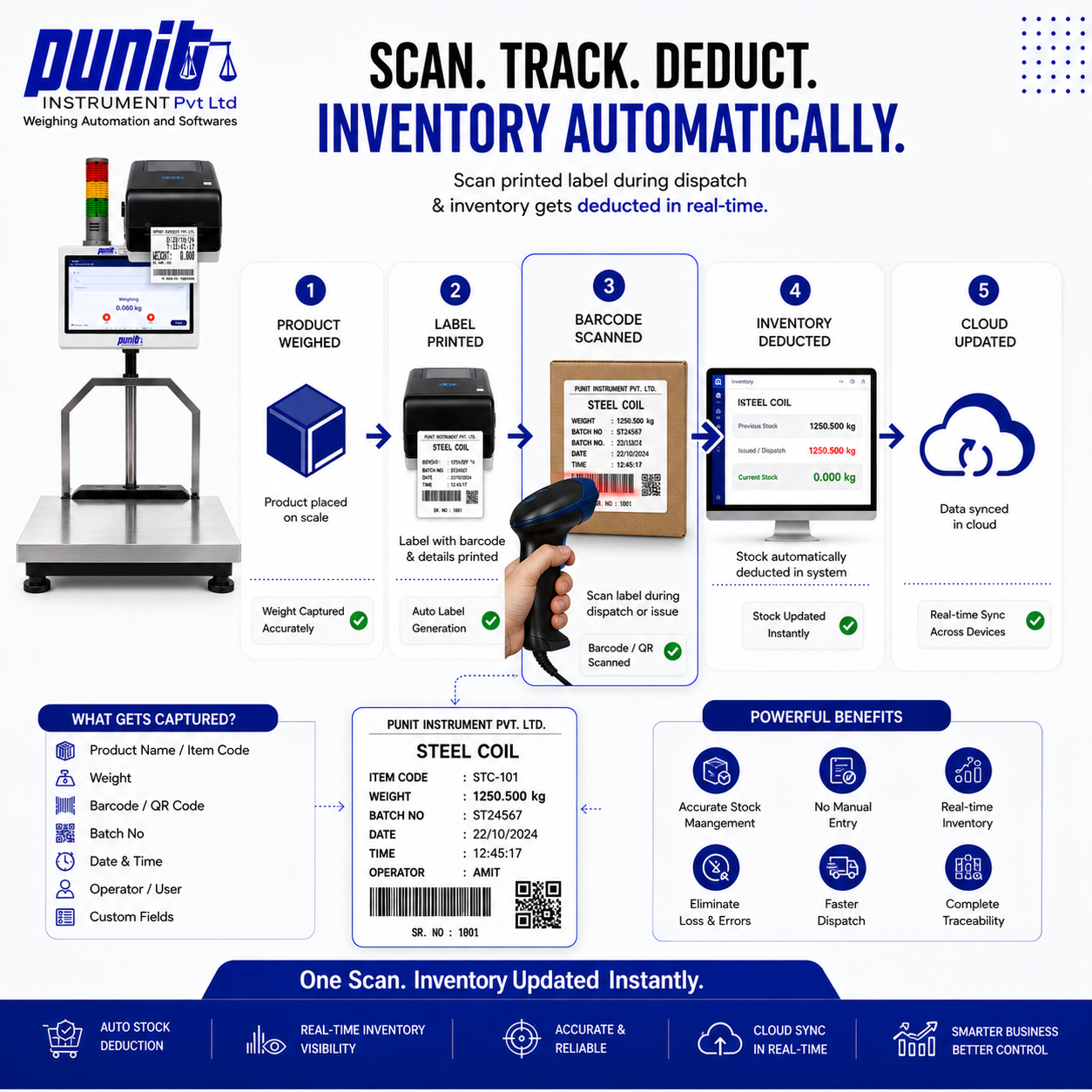
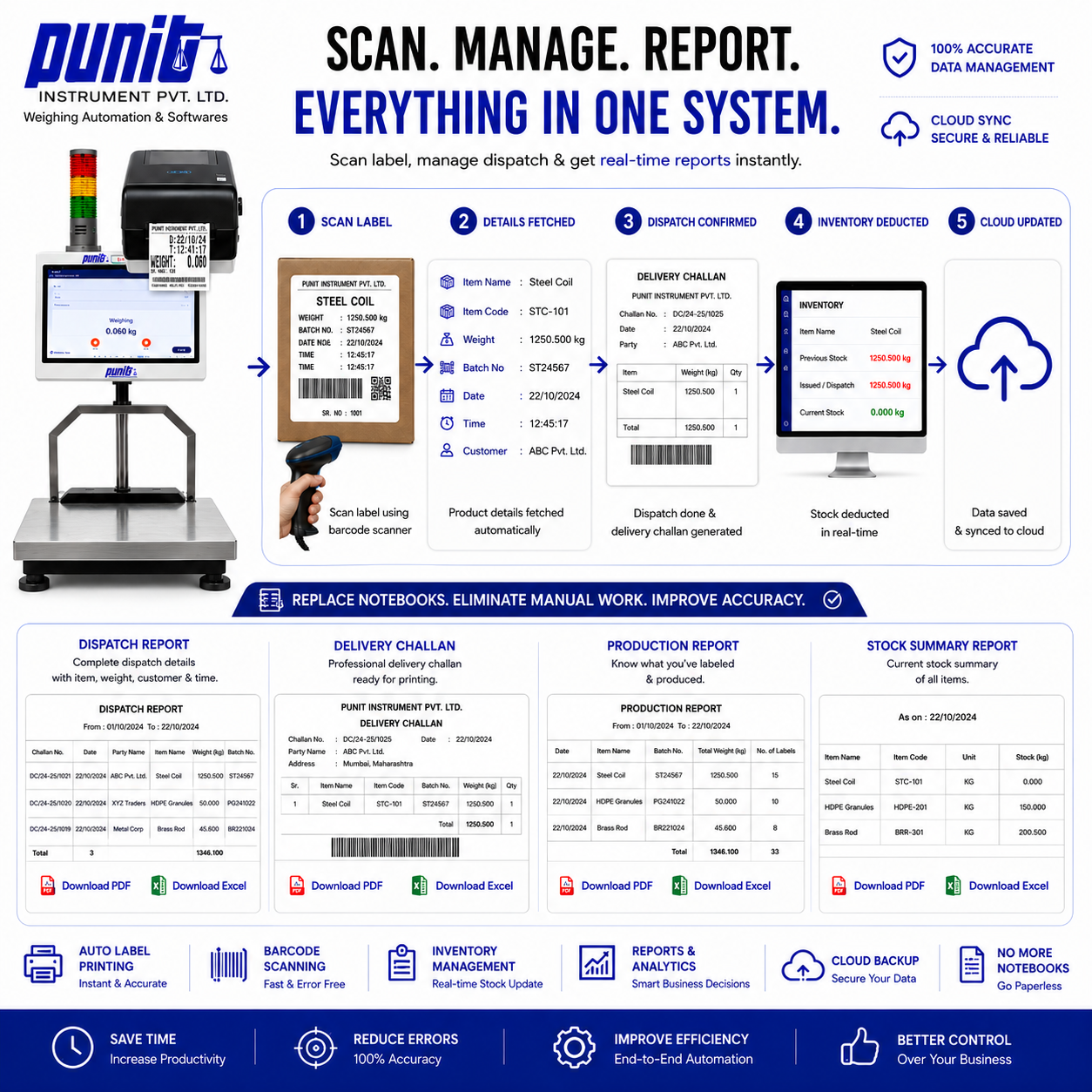
This is How Our Punit Weighing Scale WIth Printer & Inventory Management Works.
Step |
Process |
Description |
|---|---|---|
Step 1 |
Place Product → Weigh → Label + Product Weighing Slip Generated |
The product is placed on the weighing scale. The system automatically captures gross, tare, and net weight, prints the barcode or QR label, and generates a product weighing slip. Automated weight capture and label printing eliminate manual errors and ensure instant processing. |
Step 2 |
Dispatch by Scanning Barcode → Dispatch Weighing Slip Generated |
During dispatch, the barcode or QR code on the label is scanned. The system verifies the weight and automatically generates a dispatch weighing slip, ensuring accuracy and eliminating manual errors. This enables smooth and paperless dispatch operations. |
Step 3 |
Automatic Inventory Deduction & Cloud Reporting |
After dispatch, inventory is automatically updated based on the scanned weight. All transactions are synced to the cloud in real-time, providing detailed reports on stock, dispatch, and inventory movement with ERP-ready data. |
Weighing Scale With Printer Price, Capacity, Platform Size & Specifications
Punit Instrument Pvt. Ltd. manufactures and configures weighing scales with printers for different industrial applications. The final configuration depends on the required capacity, readability, platform size, construction, printer, software and automation workflow.
Price in India
| Configuration | Starting Price | Typical Scope |
|---|---|---|
| Basic Weighing Scale With Printer | ₹30,000 onwards | Live weight capture with basic receipt or label printing |
| Punit Next Gen Touchscreen Weighing Scale With Printer | ₹80,000 onwards | Touchscreen, barcode/QR labels, Punit ERP, inventory, check weighing, dispatch scanning, packing lists, cloud reporting and advanced automation |
Final price depends on capacity, platform dimensions, readability, MS/SS construction, printer type, barcode scanner, software workflow and SAP/ERP integration requirements.
Common Capacity & Readability Options
| Capacity | Typical Readability | Typical Application |
|---|---|---|
| 10 kg | 1 g | Smaller products, precision packing, components |
| 100 kg | 10 g | Boxes, cartons, bags and production weighing |
| 200 kg | 20 g | Industrial packing, bundles and manufacturing |
| 750 kg | 50 g | Heavy industrial products and warehouse weighing |
| 2 Ton | Application-specific | Heavy-duty platforms, pallets and large industrial products |
Punit Instrument Pvt. Ltd. can also configure other capacities and readability combinations according to the application.
Platform Sizes
Platform dimensions can be selected according to the physical product rather than forcing the product onto one fixed platform.
Common and customised configurations can include:
- 500 × 500 mm
- 500 × 600 mm
- 600 × 600 mm
- 750 × 750 mm
- 1000 × 1000 mm
- 1000 × 1200 mm
- custom industrial platforms
- heavy-duty platforms up to 2000 × 2000 mm for suitable high-capacity applications
For long aluminium sections, pipes, bundles, rolls, drums, pallets or other special products, Punit Instrument Pvt. Ltd. can design the weighing platform according to the application.
Construction Options
Mild Steel (MS)
Suitable for general manufacturing, metals, warehouses, packaging and industrial applications.
Stainless Steel (SS)
Available for pharma, food, chemical, wet, corrosive and hygiene-sensitive environments.
Printer & Label Specifications
Printer Resolution: 203 DPI industrial printing
Printing options:
- barcode labels
- QR-code labels
- weight stickers
- receipt printing
- product identification labels
- packing / production labels
Label size: Customisable according to requirement.
Punit Instrument Pvt. Ltd. can configure different label widths, heights and layouts depending on the printer and application.
Labels can include:
- product name
- product code
- customer
- order number
- batch / lot
- gross weight
- tare weight
- net weight
- pieces
- rolls / bags
- length
- width
- micron
- thickness
- GSM
- colour
- date
- time
- barcode
- QR code
- operator
- custom production fields
Connectivity & Punit IoT
Punit Instrument Pvt. Ltd. uses its own technology and Punit IoT connectivity layer to connect compatible weighing systems with software.
Depending on the hardware configuration, connectivity can include:
- RS-232
- USB
- Bluetooth
- Ethernet / network connectivity
- Punit IoT hardware
- cloud synchronization
- API / ERP connectivity
Punit Instrument Pvt. Ltd. also has patented weighing-related technology and develops its own hardware/software integration layer for connected weighing applications.
Punit ERP Features
The advanced ₹80,000+ configuration can include:
- touchscreen operation
- live stable-weight capture
- product master
- customer master
- batch / order management
- gross / tare / net
- barcode generation
- QR-code generation
- custom label design
- KG + PCS
- KG + rolls
- KG + bags
- barcode-wise inventory
- inventory inward
- dispatch scanning
- duplicate dispatch control
- configurable packing lists
- automatic packing-list email
- cloud reporting
- PDF / Excel reports
- check weighing
- UNDER / OK / OVER
- conditional accepted-label printing
- tower-light support
- user roles
- audit history
- multi-scale monitoring
- multi-plant visibility
- SAP / ERP integration subject to technical scope
Legal Metrology
Punit Instrument Pvt. Ltd. is a licensed manufacturer of weighing instruments, and applicable weighing-scale models are Legal Metrology approved.
The weighing scale can be supplied with applicable:
- model approval documentation
- Legal Metrology verification / stamping
- verification certificate
- calibration documentation
Read: How Legal Metrology Approval & Stamping Work for a Weighing Scale With Printer
Warranty & Support
- 5-year product warranty
- Lifetime after-sales and software support
- Remote support
- On-site / offline training
- Installation assistance
- Hardware and software support from Punit Instrument Pvt. Ltd.
Overall Punit Instrument Pvt. Ltd. Weighing Range
Beyond the weighing scale with printer category, Punit Instrument Pvt. Ltd.’s overall weighing portfolio covers ultra-precision laboratory weighing through heavy industrial weighing systems, with solutions ranging from micro/analytical weighing to systems up to 100 ton, depending on the product category.
To Make An Inquiry Please Fill Up This Form
[fluentform id=”1″]
-
Eliminates manual entry at weighment points
-
Prevents tampering and theft during dispatch/inward
-
Speeds up warehouse labeling and inventory
-
Ensures traceability with QR-code linked weighment
Frequently Asked Questions (FAQ)
Q. Can I customize what’s printed on the label?
Answer – Yes. The label can contain weight, date, time, vehicle number, item name, QR code, and even your company logo.
Q. Can this be connected to our ERP?
Absolutely. We provide full integration support with Tally, SAP, custom ERPs, or even Excel syncing.
Q. Is it suitable for dusty environments?
Yes. Our models are available in stainless steel with IP-rated enclosures for harsh industrial environments.
Q. How does the QR code help?
QR codes ensure traceability. You can scan them to fetch complete weighment records, time, and user data.
Q. Can it be used for cartons, drums, and bags?
Yes. You can place any material on the platform and print labels instantly
Weigh – Print – Track – Automate.
Our label printing scale (Weighing scale with printer) is built for industries where accuracy, traceability, and speed are non-negotiable. Whether you’re dispatching goods, in warding raw materials, or managing warehouse stock, this scale transforms how your team handles weight data with QR code printed labels, real-time syncing, and zero manual errors.
Industrial Weighing Scale with Printer – Complete Smart Weighing Solution
An industrial weighing scale with printer is not just a weighing machine — it is a complete automation system designed to improve accuracy, efficiency, and business operations. From manufacturing units to warehouses and logistics companies, businesses are rapidly shifting toward weighing scale with printer systems for better control and tracking.
These systems eliminate manual errors and enable real-time label printing, making them essential for modern industries.
Why Industrial Weighing Scale with Printer is Important
Traditional weighing methods often result in delays, manual errors, and poor inventory tracking. With an industrial weighing scale with printer, businesses can automate operations and improve efficiency.
- Instant label printing
- Improved accuracy
- Reduced manpower dependency
- Better inventory control
To understand how businesses are improving efficiency using weighing systems, read this guide on
how to manage inventory with direct weighing
.
Integration with Software and ERP Systems
Modern weighing scale with printer systems are integrated with advanced software and ERP solutions. This allows businesses to manage data efficiently and automate workflows.
Benefits include:
- Real-time data tracking
- Centralized inventory management
- Automated reporting
Learn more about software integration in:
Why weighing scale and label printing software are essential
Industrial weighing software guide
ERP integration transformation case study
Label Printing and Barcode Features
One of the biggest advantages of using a weighing scale with printer is the ability to generate labels instantly. These labels can include weight, barcode, pricing, and product details.
For businesses needing barcode solutions, explore our
barcode label printer weighing scale
.
Also read:
how to print weight on label using weighing scale
for detailed understanding.
Choosing the Right Industrial Weighing Scale
Selecting the correct weighing system depends on your industry needs, capacity requirements, and environment.
- Load capacity
- Precision level
- Usage environment
- Software integration
For a detailed selection guide, visit:
how to choose weighing scale with printer
.
Heavy Duty and Alternative Solutions
For heavy lifting industries, you can also consider a
crane scale with printer
, which is designed for rugged environments.
For platform-based weighing, explore:
industrial platform weighing scales with printer
.
Complete System Understanding
A complete weighing solution includes hardware, software, and connectivity. Businesses must understand how all components work together for maximum efficiency.
Read more in:
Explore More Weighing Solutions
We provide a complete range of weighing systems:
weighing scale with printer category
industrial weighing scale with printer
barcode label printing weighing scale
crane weighing scale with printer
Weighing Scale With Printer for Accurate Weight Printing
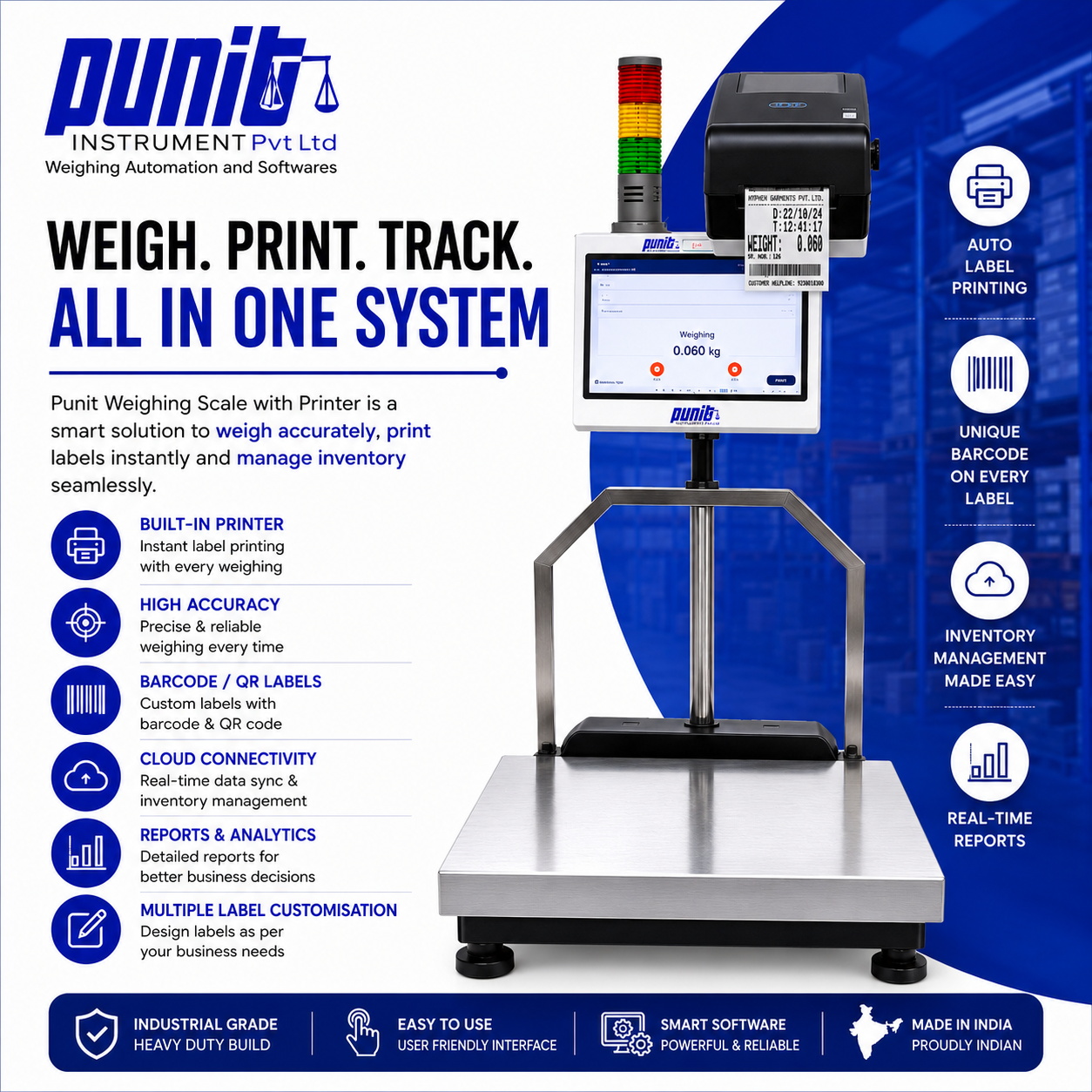
Punit weighing scale with printer is designed for businesses that need accurate weighing and instant printing from the weighing machine. It helps print weight details, barcode stickers, product labels, batch information and inventory records directly after weighing.
This system is suitable for manufacturers, packaging units, warehouses, retail counters and industrial businesses that need a reliable weighing machine with printer for daily operations.
Weighing Machine With Printer
A weighing machine with printer helps print weight records directly from the weighing system. Instead of writing weight manually, operators can print accurate weight details for packing, billing, dispatch, stock records and product identification.
Punit’s touchscreen weighing machine with printer is useful when your business needs fast weighing, clear printed labels and better control over weighing records.
Weighing Scale With Sticker Printer
Punit weighing scale with sticker printer can print barcode stickers, weight stickers and product labels after weighing. This makes it useful for packed goods, warehouse dispatch, manufacturing, stock tracking and product labeling.
If your business needs barcode-based weighing and sticker printing, you can also explore our
Barcode Label Printer Weighing Scale
.
Barcode Sticker Printing From Weighing Scale
With Punit weighing scale with printer, users can print barcode stickers with product name, weight, date, time, batch number and other required details. This helps improve product tracking, dispatch accuracy and inventory control.
For businesses that need weighing, printing and stock management together, visit our
Weighing Scale With Printer System and Inventory Management
.
Why Choose Punit Weighing Scale With Printer?
- Weighing scale with printer for accurate weight printing
- Weighing machine with printer for daily packing and dispatch work
- Sticker printer support for barcode labels and weight stickers
- Touchscreen operation for easy use
- Custom sticker and label format as per requirement
- Inventory and stock tracking support
- Suitable for warehouse, packaging, manufacturing and retail use
Where Can You Use This Weighing Machine With Printer?
- Barcode sticker printing after weighing
- Weight label printing for packed goods
- Warehouse and dispatch weighing
- Manufacturing and production weighing
- Retail weight printing and product labeling
- Inventory tracking with printed weight records
Related Punit Products
Weighing Scale With Printer for Accurate Weight Printing
Punit weighing scale with printer is designed for businesses that need accurate weighing and instant printing from the weighing machine. It helps print weight details, barcode stickers, product labels, batch information and inventory records directly after weighing.
This system is suitable for manufacturers, packaging units, warehouses, retail counters and industrial businesses that need a reliable weighing machine with printer for daily operations.
Weighing Machine With Printer
A weighing machine with printer helps print weight records directly from the weighing system. Instead of writing weight manually, operators can print accurate weight details for packing, billing, dispatch, stock records and product identification.
Punit’s touchscreen weighing machine with printer is useful when your business needs fast weighing, clear printed labels and better control over weighing records.
Weighing Scale With Sticker Printer
Punit weighing scale with sticker printer can print barcode stickers, weight stickers and product labels after weighing. This makes it useful for packed goods, warehouse dispatch, manufacturing, stock tracking and product labeling.
If your business needs barcode-based weighing and sticker printing, you can also explore our
Barcode Label Printer Weighing Scale
.
Barcode Sticker Printing From Weighing Scale
With Punit weighing scale with printer, users can print barcode stickers with product name, weight, date, time, batch number and other required details. This helps improve product tracking, dispatch accuracy and inventory control.
For businesses that need weighing, printing and stock management together, visit our
Weighing Scale With Printer System and Inventory Management
.
Why Choose Punit Weighing Scale With Printer?
- Weighing scale with printer for accurate weight printing
- Weighing machine with printer for daily packing and dispatch work
- Sticker printer support for barcode labels and weight stickers
- Touchscreen operation for easy use
- Custom sticker and label format as per requirement
- Inventory and stock tracking support
- Suitable for warehouse, packaging, manufacturing and retail use
Where Can You Use This Weighing Machine With Printer?
- Barcode sticker printing after weighing
- Weight label printing for packed goods
- Warehouse and dispatch weighing
- Manufacturing and production weighing
- Retail weight printing and product labeling
- Inventory tracking with printed weight records
Related Punit Products
Punit Weighing Scale With Printer
Barcode Label Printer Weighing Scale
Weighing Scale With Printer System and Inventory Management
FAQs About Weighing Scale With Printer
What is a weighing scale with printer?
A weighing scale with printer measures weight and prints weight details, stickers, labels or barcode information directly from the weighing system.
Can this work as a weighing machine with printer?
Yes, Punit weighing machine with printer can print weight records, labels and barcode stickers depending on your business requirement.
Can it print stickers?
Yes, Punit weighing scale with sticker printer can print barcode stickers, product stickers and weight labels for packaging, dispatch and inventory use.
Can I print barcode stickers from the weighing scale?
Yes, barcode sticker printing can be done directly from the weighing scale with printer. The sticker can include product name, weight, barcode, date, batch number and other required details.
How can I get demo and price?
You can contact Punit Instrument for demo, price and technical guidance for selecting the right weighing scale with printer.
Get Demo and Price for Weighing Scale With Printer
Looking for a weighing scale with printer, weighing machine with printer or weighing scale with sticker printer? Contact Punit Instrument for demo, price and product selection support.
Dedicated Touchscreen Weighing Scale With Printer Guide
For the complete touchscreen configuration, Punit ERP workflow, hardware specifications, label printing, inventory, dispatch and live product demonstration, visit the Punit weighing scale with printer product guide.