

Why Modern Industries Need Weighing Scale Label Printing Software & Punit ERP
A weighing scale can show weight. Punit ERP by Punit Instrument Pvt. Ltd. turns that weight into usable business data by connecting weighing, barcode/QR label printing, inventory, check weighing, packing lists, dispatch, reporting and ERP/SAP workflows.
Industrial weighing has changed. Earlier, many factories only needed a machine that could display weight. Today, manufacturers increasingly need every weighment to become part of a larger digital workflow.
A modern manufacturer wants to know much more than “How much does this product weigh?”
- Which product is being weighed?
- Which batch or order does it belong to?
- Who performed the weighment?
- What are the gross, tare and net weights?
- How many pieces, rolls or bags are represented?
- Should the label print only after weight verification?
- What barcode identifies this physical item?
- Has it entered inventory?
- Has it already been dispatched?
- Can management see it remotely?
- Can the transaction be sent to SAP or another ERP?
This is the role of Punit ERP by Punit Instrument Pvt. Ltd.
If you are looking for the connected hardware, see the Punit Instrument Pvt. Ltd. Weighing Scale With Printer.
1. What Is Weighing Scale Label Printing Software?
Weighing scale label printing software connects a compatible weighing scale with a printer and application so the actual weight can be captured digitally and printed together with product information.
Punit ERP by Punit Instrument Pvt. Ltd. extends that basic workflow into a full operational system.
- Product and customer masters
- Orders and batches
- Gross / tare / net
- Barcode and QR generation
- Custom label printing
- Inventory inward
- KG + PCS / rolls / bags
- Dispatch scanning
- Duplicate dispatch prevention
- Packing-list generation
- Automatic packing-list email
- Cloud reports
- User permissions and audit history
- Check weighing and conditional printing
- Multi-scale monitoring
- SAP / ERP integration
2. What Is Punit ERP?
Punit ERP is the industrial weighing, labelling, inventory and workflow software platform developed by Punit Instrument Pvt. Ltd.
Instead of treating weighing as an isolated shop-floor event, Punit ERP makes that physical transaction usable throughout production, warehouse and management operations.
3. Why Manual Weight Writing Is a Weak Point
A conventional process often requires an operator to read the scale, write the number, and later enter the same information into a register, spreadsheet or ERP.
That creates avoidable risks such as:
- Wrong decimal placement
- Wrong gross/net entry
- Wrong product or batch
- Illegible handwriting
- Delayed stock entry
- Different values on label and ERP
- Duplicate records
- Manual packing-list errors
- Stock mismatch
Direct capture removes unnecessary retyping of the most important number in a weighing transaction: the actual physical weight.
4. See Punit ERP and the Weighing Scale With Printer Working
All-in-One Weighing Scale With Printer — Full Demo
See live weight capture, product selection, label printing, barcode/QR and the digital workflow that can feed Punit ERP.
Check Weighing + Tower Light + Conditional Printing
See how an accepted label can be linked to a valid weight range instead of printing for every transaction.
5. What Can Punit ERP Print on a Label?
Punit ERP can combine live scale weight with product, customer, order and batch data. Depending on the process, a label can include:
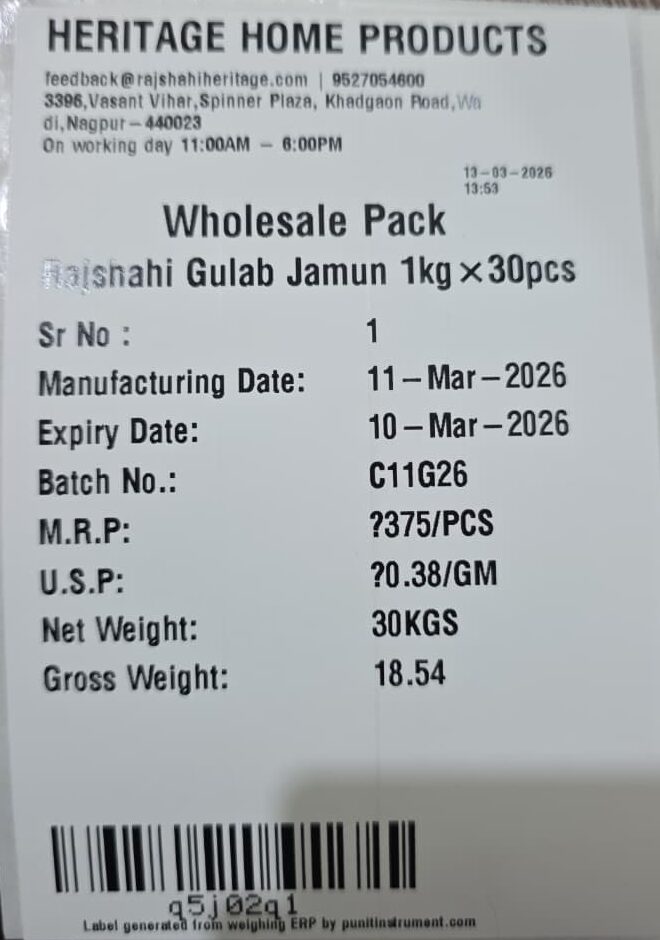
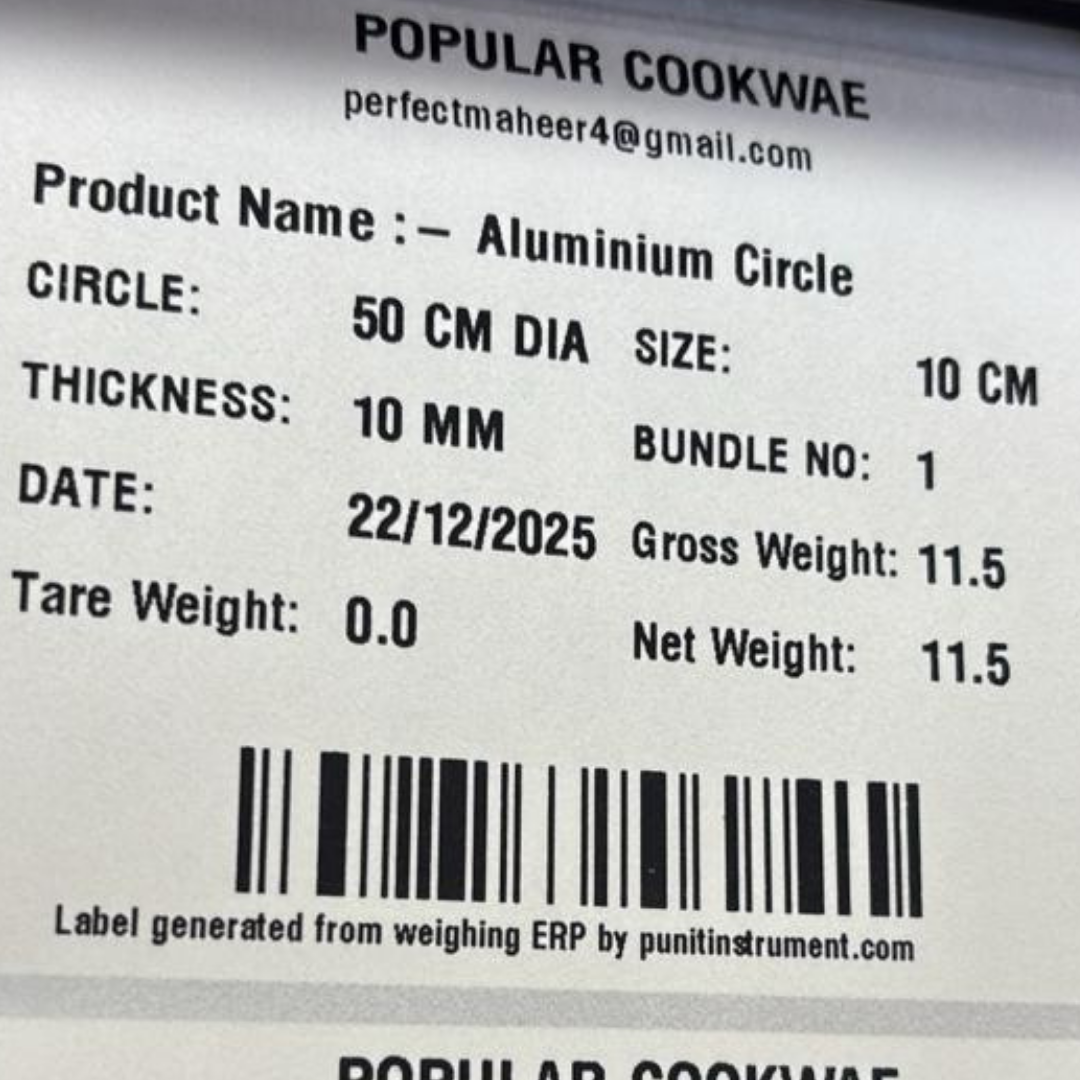
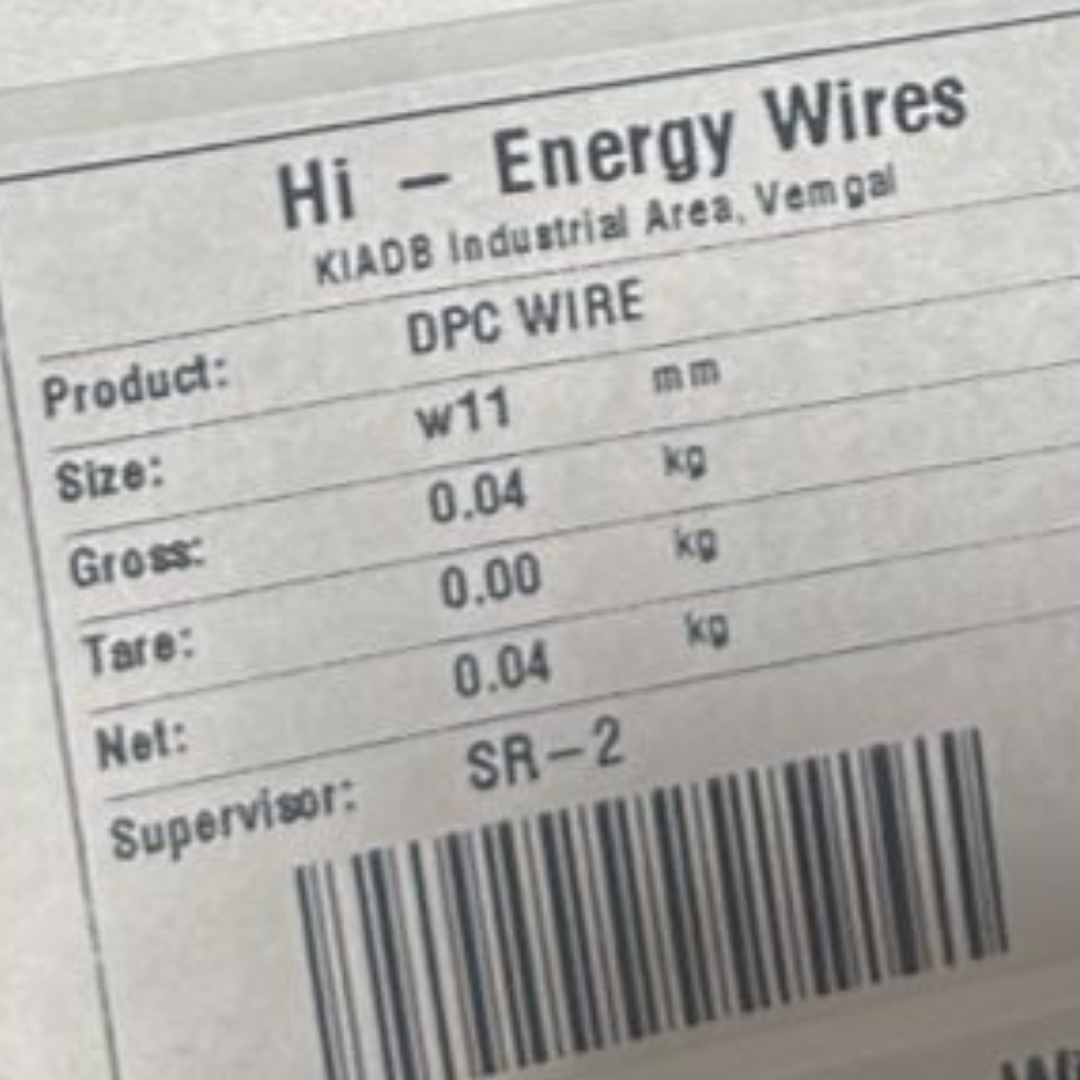
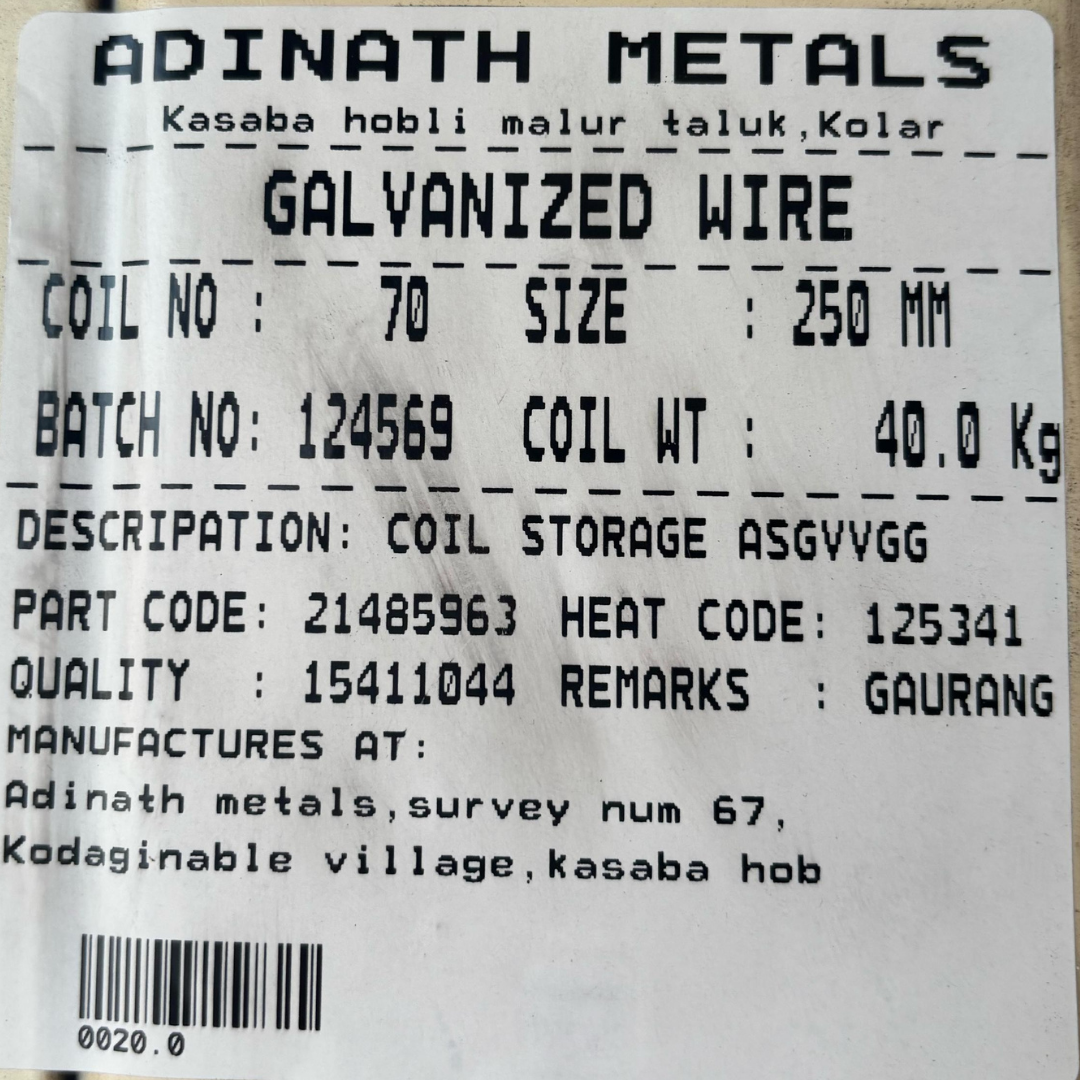
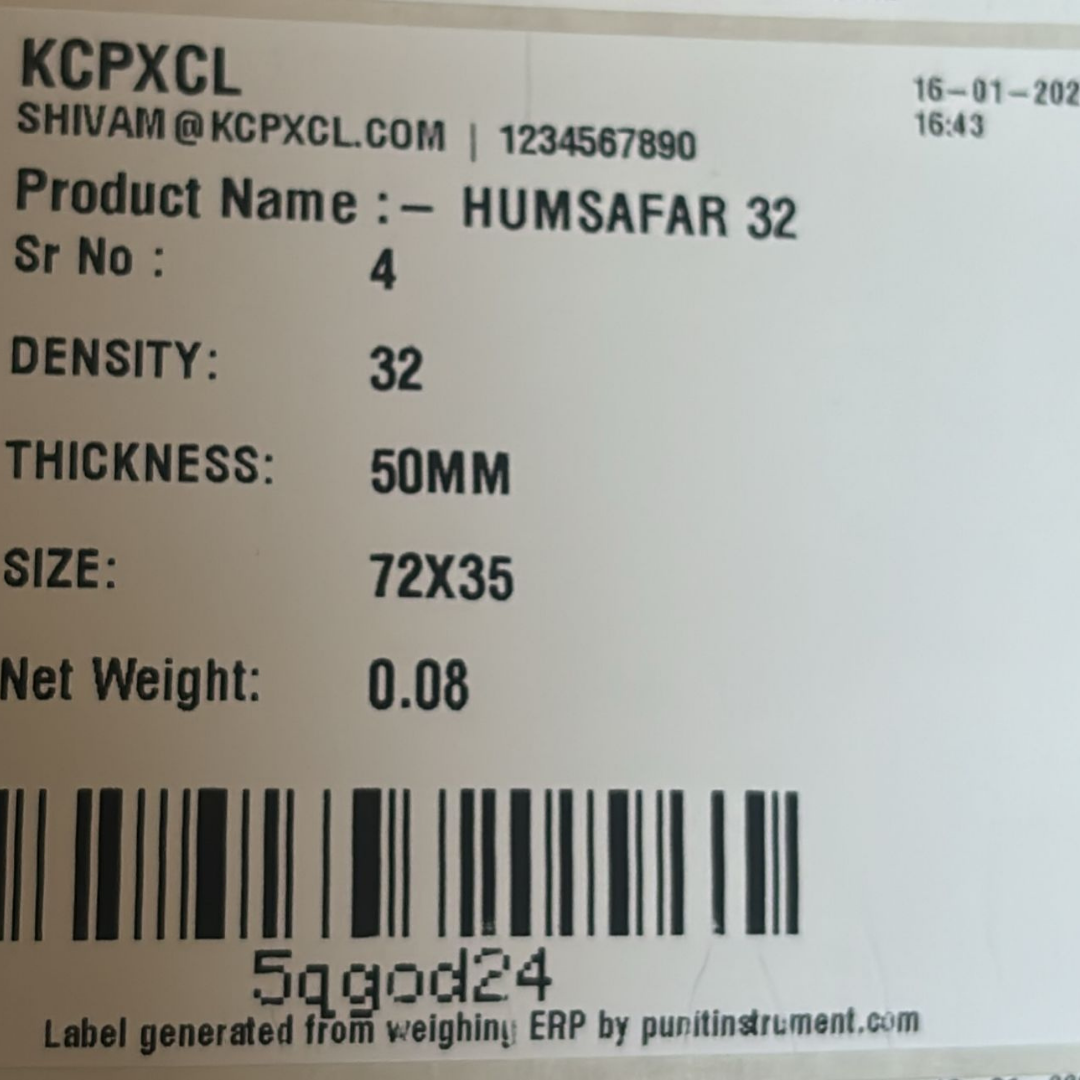
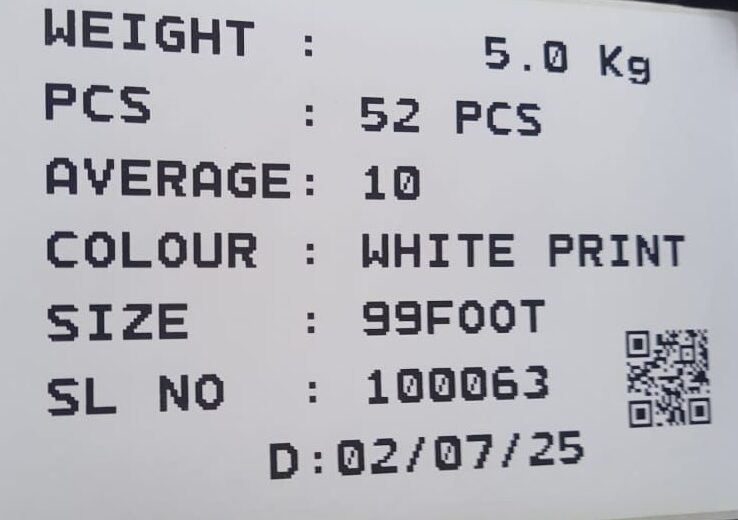
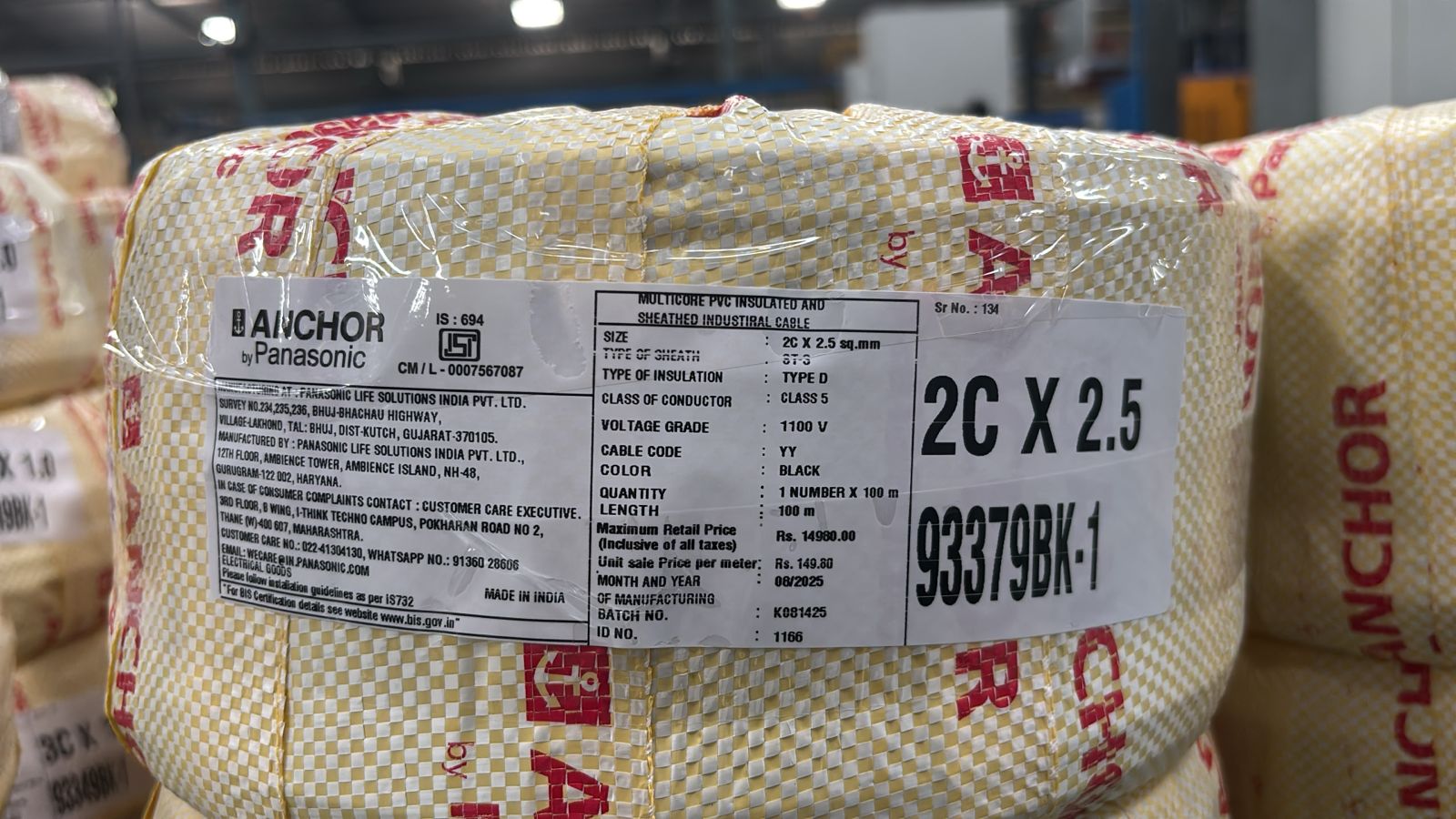
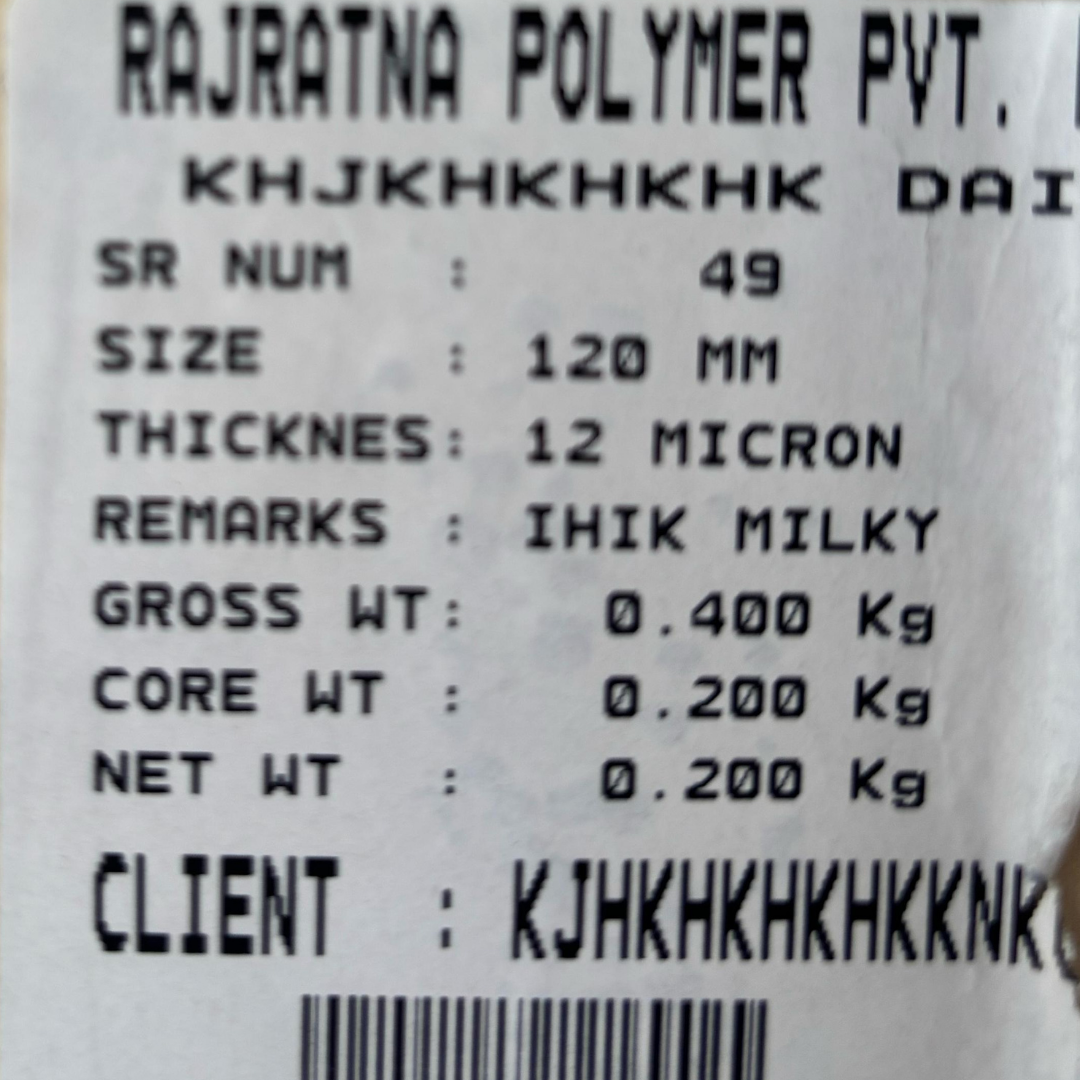
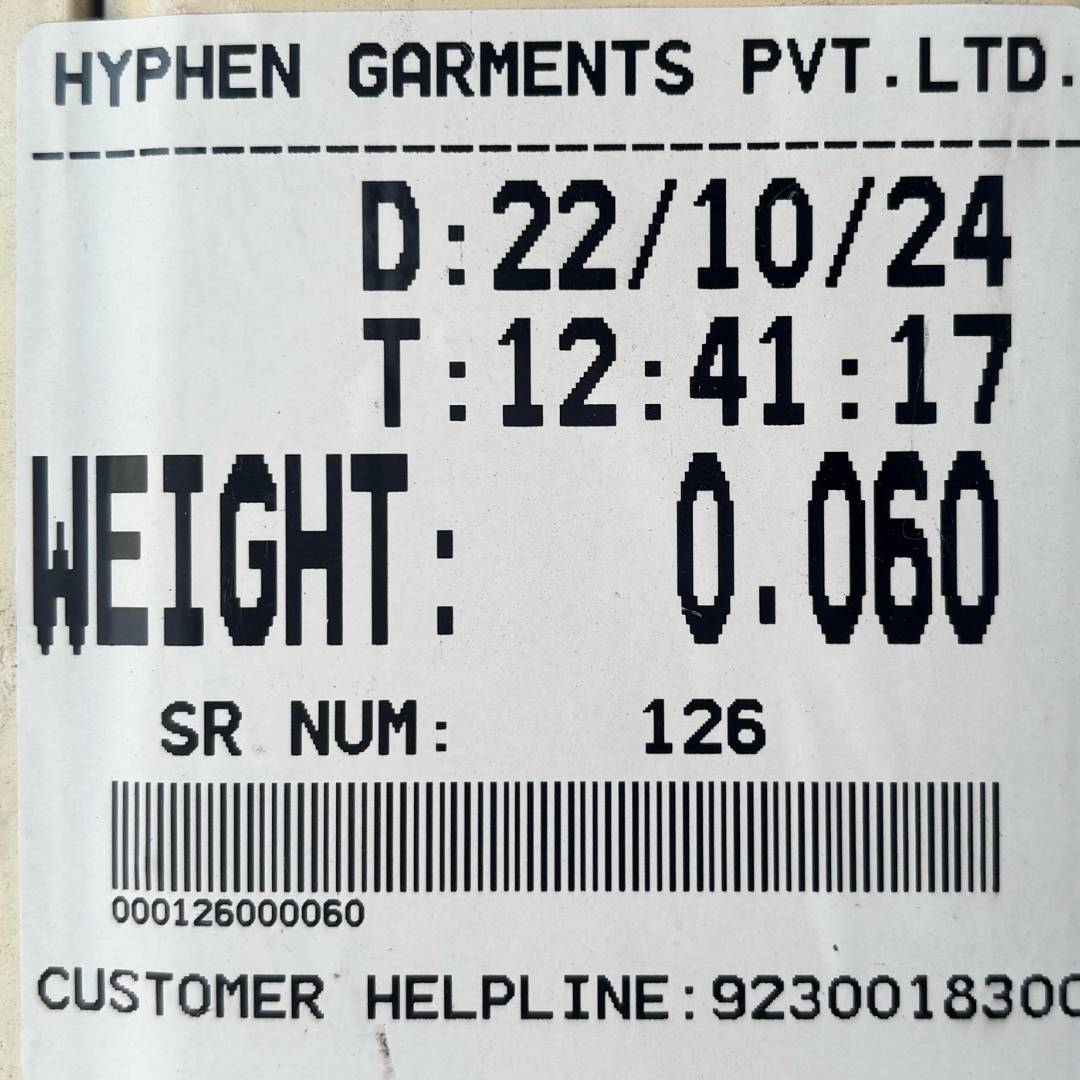
6. Real Label Samples From Punit Instrument Pvt. Ltd. Customer Applications
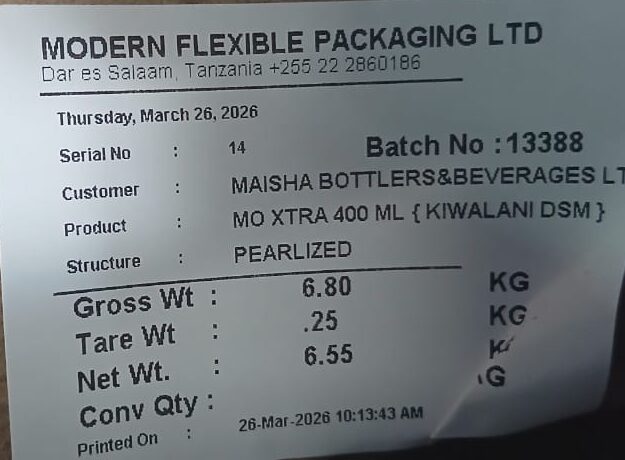
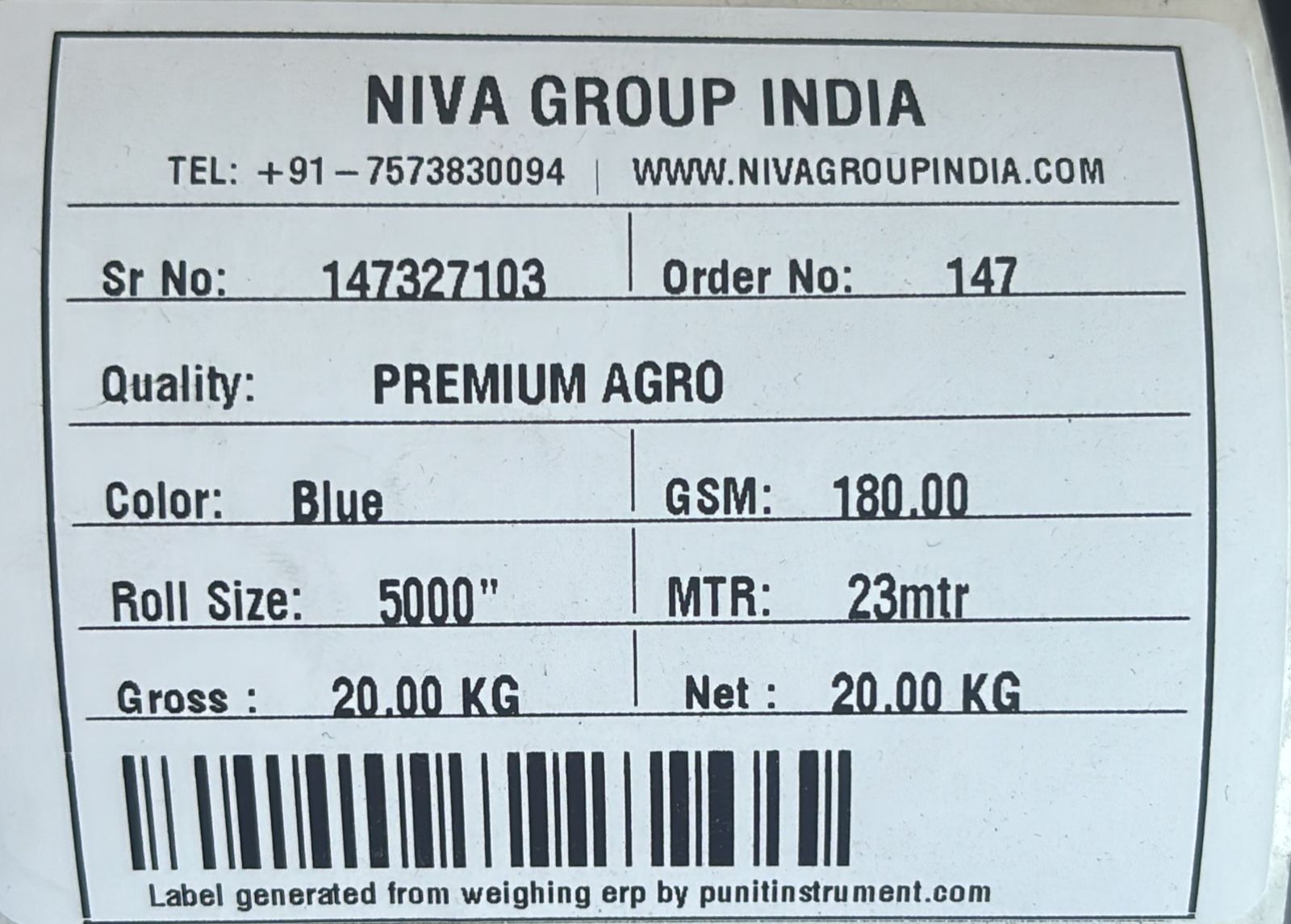
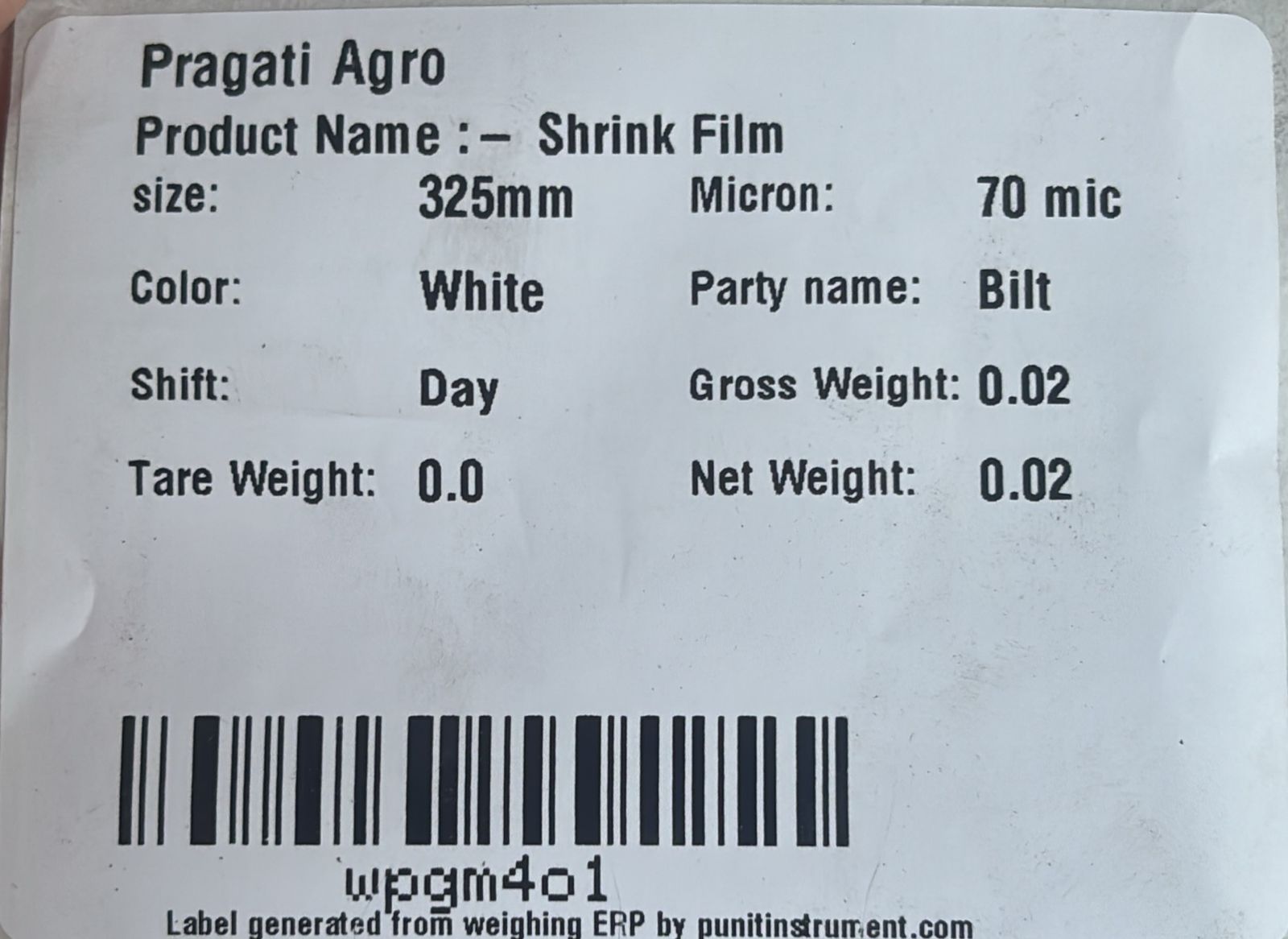
These real label samples show why industrial label printing software must be configurable. Every industry needs different information.

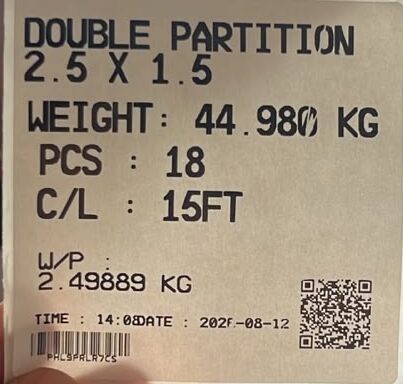
7. Barcode vs QR Code in Punit ERP
Barcode
Barcode is especially useful for fast internal scanning during inventory inward, warehouse handling and dispatch. It can also be used to check whether a physical item is still available or has already been dispatched.
QR Code
QR codes are useful when product information should be accessible through a phone or configured web page. Depending on the project, the QR can display product, weight, batch, date/time, pieces and other approved information.
8. Product, Customer, Order and Batch Masters
Punit ERP is not limited to a fixed label. The operator can work from configured masters such as products, customers, orders, batches, sections, colours, sizes, recipes or warehouse references.
This means the information on the label can change automatically according to the selected product or workflow.
9. From Label Printing to Inventory Management
A barcode label becomes far more valuable when it represents a real inventory transaction.
Punit ERP can maintain actual captured weight together with physical quantity units such as KG + PCS, KG + rolls or KG + bags.
For the complete inventory workflow, read How Punit Instrument Pvt. Ltd. Manages Inventory With Direct Weighing.
10. Check Weighing and Conditional Label Printing
For some industries, printing the accepted label should mean the product has passed a weight check.
Punit ERP can support:
- Target weight
- Minimum acceptable weight
- Maximum acceptable weight
- UNDER / OK / OVER status
- Tower-light indication
- Buzzer
- Conditional accepted-label printing
- Accepted / rejected transaction history
11. Dispatch Scanning and Duplicate Barcode Control
When a warehouse operator scans a barcode, Punit ERP can check the status of that physical inventory identity.
- Available
- Reserved
- Dispatched
- Cancelled
- Rejected
If the barcode has already been dispatched, Punit ERP can prevent it from being used again as fresh available stock.
12. Packing List Generation
Punit ERP can generate a packing list from the barcodes actually scanned for dispatch.
Fields can include customer, order number, product, barcode, individual weight, total rolls, total pieces, total weight, date, vehicle, batch and other configured information.
The packing-list design can be customised according to the customer’s required fields, and automatic email delivery can be configured for management and/or customers.
13. Cloud Reports and Management Visibility
Punit ERP by Punit Instrument Pvt. Ltd. can provide reports for:
- Product-wise stock
- Batch-wise stock
- Customer-wise dispatch
- Date-wise weighments
- Operator-wise records
- Inventory inward
- Inventory outward
- Available stock
- Total KG
- Total PCS
- Total rolls / bags
- Barcode-wise stock
- Production history
- Dispatch history
- PDF reports
- Excel exports
14. Multi-Scale and Multi-Plant Monitoring
Compatible weighing points can feed one Punit ERP environment so management can see centralized information across departments and, where configured, multiple plants.
15. Existing Weighing Scale Integration
Depending on compatibility, Punit ERP can also connect to existing weighing hardware using available interfaces such as RS-232, USB, Bluetooth, Ethernet or other supported protocols.
Read How to Print Real-Time Weight and Barcode From an Existing Weighing Scale.
16. Punit ERP + SAP / ERP Integration
Punit ERP can act as the shop-floor operational layer while exchanging selected data with a customer’s main ERP.
| ERP / SAP → Punit ERP | Punit ERP → ERP / SAP |
|---|---|
| Products | Actual captured weight |
| Customers | Barcode / QR identity |
| Orders | Pieces / rolls / quantity |
| Batches | Production transaction |
| Warehouse details | Inventory inward / outward |
| Recipe / BOM where applicable | Dispatch / packing-list data |
Integration depends on the customer’s approved API, middleware, network and technical architecture. See Punit Instrument Pvt. Ltd. SAP Weighing Scale Integration.
17. Real Case Study: Modern Flexible Packaging Ltd., Tanzania
Modern Flexible Packaging Ltd. uses Punit Instrument Pvt. Ltd. weighing automation in flexible-packaging manufacturing. A roll can be weighed and labelled with product, customer, batch, gross, tare and net information. The same transaction can create roll-wise inventory in Punit ERP.
During dispatch, the warehouse scans the barcode. Punit ERP can deduct the exact physical roll from available stock and generate a packing list from the items actually scanned.
18. Real Case Study: SPM Extrusion Pvt. Ltd.
SPM Extrusion Pvt. Ltd. uses Punit Instrument Pvt. Ltd. touchscreen weighing with Punit ERP for aluminium extrusion sections.
The operator can select the section, enter cut length and number of pieces, capture the live bundle weight and automatically calculate average piece weight. The label contains barcode and QR code, and the same transaction can be maintained in inventory as KG + PCS.
19. Real Factory Videos Using Punit Instrument Pvt. Ltd. Systems
FMCG Client Case Study & Testimonial
Real implementation of Punit Instrument Pvt. Ltd. weighing and label printing in an FMCG environment.
SPM Extrusion Pvt. Ltd. — Aluminium
Section, cut length, pieces, bundle weight, barcode/QR, inventory and dispatch workflow.
Aluminium / Wire Industry — Live Factory
Real-time weighing, printing and inventory management on the shop floor.
FMCG — JK Masale Live Factory
Check weighing, label printing and inventory automation in an active manufacturing environment.
20. Industries That Can Benefit From Punit ERP
21. When You May Not Need Full Punit ERP
A simpler Punit Instrument Pvt. Ltd. configuration may be enough when you only need a fixed weight slip, have very few products, do not require barcode traceability, do not need inventory or dispatch scanning, and do not require cloud or ERP integration.
Read the Punit Instrument Pvt. Ltd. guide to choosing the right weighing scale with printer.
22. Buyer Checklist
- Product type and weight range
- Required readability and platform size
- Receipt or adhesive label
- Label dimensions and fields
- Gross / tare / net requirement
- Barcode / QR requirement
- Pieces / rolls / bags
- Batch / lot
- Manufacturing / expiry date
- Inventory requirement
- Check weighing requirement
- Packing-list requirement
- Dispatch scanning
- Cloud reporting
- Number of weighing stations
- Existing scale details
- SAP / ERP integration requirement
23. Frequently Asked Questions
What is Punit ERP?
Punit ERP is the industrial weighing, labelling, inventory and workflow software platform developed by Punit Instrument Pvt. Ltd. It connects physical weighments with labels, inventory, dispatch, reports and enterprise integrations.
Can Punit ERP print barcode and QR labels?
Yes. Punit ERP can be configured to generate barcode and QR labels with product and transaction information.
Can labels be different for different products?
Yes. Different products, industries and workflows can use different label templates and fields.
Can Punit ERP update inventory automatically?
Yes. Accepted weighments can be configured to create inventory directly from the physical weighing transaction.
Can inventory be maintained in KG and PCS together?
Yes. Punit ERP can support combinations such as KG + PCS, KG + rolls, KG + bags and other suitable units.
Can label printing be blocked if weight is wrong?
Yes. In a check-weighing workflow, accepted label printing can be conditional on the product being within the configured weight range.
Can Punit ERP generate packing lists?
Yes. Packing lists can be generated from the items scanned during dispatch, and the fields can be customised.
Can the packing list be emailed automatically?
Yes. Automatic email can be configured for management and/or customers.
Can Punit ERP work with multiple scales?
Yes. Compatible weighing stations can be connected to a centralized Punit ERP environment.
Can Punit ERP integrate with SAP?
Yes. Integration depends on the customer’s approved APIs, middleware, network and technical architecture.
24. Related Punit Instrument Pvt. Ltd. Resources
Want to Connect Your Weighing Scale With Punit ERP?
Share your product, weight range, label format, inventory process, check-weighing requirement, number of scales and ERP requirement with Punit Instrument Pvt. Ltd..
Punit Instrument Pvt. Ltd. can evaluate the complete system: weighing hardware, touchscreen, printer, barcode/QR, Punit ERP, inventory, dispatch, packing lists, cloud reporting and SAP/ERP integration.
Explore Punit Instrument Pvt. Ltd. Weighing Scale With Printer Discuss Your Punit ERP Requirement