
Punit Touchscreen Weighing Scale With Packing List, Delivery Challan, Bill Printing, Barcode Scanning and Inventory Management
A complete industrial weighing and packing workstation that creates customer orders, verifies package weight, prints barcode labels, scans unit boxes into master boxes, builds pallets, updates inventory and generates packing lists, delivery challans, bills and dispatch documents.
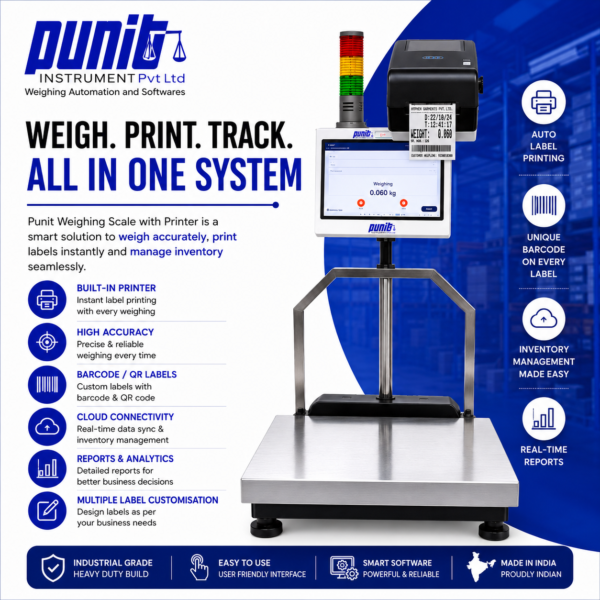
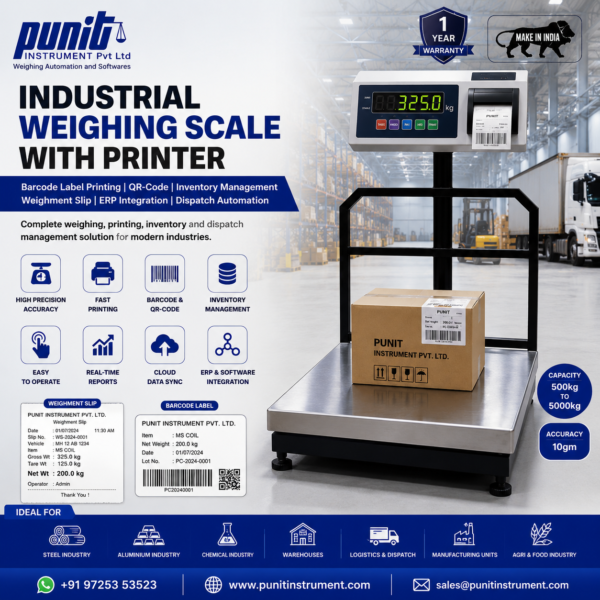
The system combines a platform weighing scale, industrial touchscreen, barcode label printer, document printer, barcode scanner and configurable software. It is designed for factories, warehouses, auto-parts manufacturers, component suppliers and packaging operations that require accurate weight, controlled packing and traceable dispatch.
What Is a Weighing Scale With Packing List and Delivery Challan Printing?
A normal weighing scale only displays weight. The operator may then write the value, prepare a label from another computer, update inventory in a spreadsheet and manually create the packing list or delivery challan. Because the same customer, product, quantity and weight information is entered repeatedly, the final documents can disagree with the material that was physically packed.
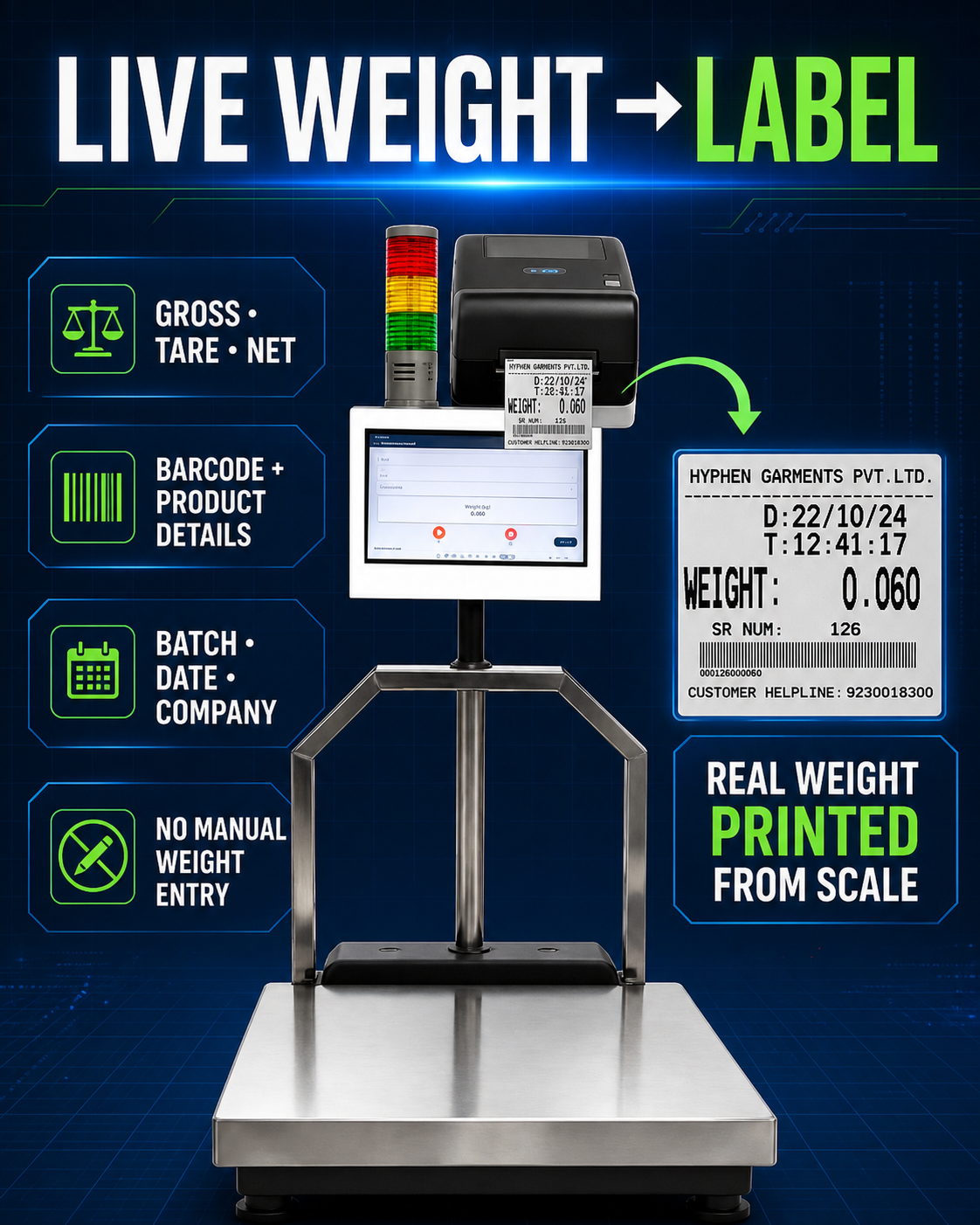
The Punit Weighing Scale With Packing List connects these activities. The packing team begins with a customer order. The touchscreen displays the selected product, required quantity, packing structure and allowed weight range. The unit box is weighed first. When the weight is within the approved range, the barcode label is printed. When the weight is outside the range, accepted-label printing remains blocked.
The unit-box barcode is scanned while the package is placed inside a master box. After the required unit boxes are scanned, the master carton is weighed and verified. The master-box label is printed only after both the scan count and weight are accepted. Master boxes can then be scanned onto a pallet, the pallet can be weighed, and a pallet label can be created.
Inventory, order progress and package relationships are updated from the same transactions. The software can then generate the packing list, delivery challan, weight bill, dispatch slip or approved customer document using the packages that were actually completed and scanned.
Order to Unit Box, Master Box, Pallet and Final Dispatch
The entire packing hierarchy remains connected through verified weight, unique barcodes and a controlled customer order.
Touchscreen Weighing Scale With Printer, Scanner and Dispatch Software
| Component | Typical Configuration | Purpose |
|---|---|---|
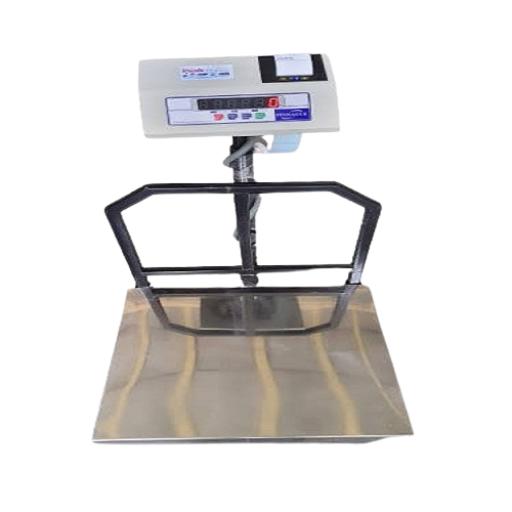
| Industrial Scale | Bench, platform, floor or customised platform | Measures unit boxes, cartons, bins, packages, master boxes and pallets according to the application. |
| Capacity | Configured from lower-capacity packing scales to multi-ton floor platforms | Selected from maximum package weight, minimum normal load, readability and platform dimensions. |
| Construction | Mild steel or stainless steel | Selected according to dust, moisture, corrosion, hygiene, cleaning and mechanical impact. |
| Industrial Touchscreen | Integrated terminal or industrial touchscreen computer | Runs order creation, customer selection, product selection, scanning, weight verification, inventory and printing. |
| Digital Indicator | Compatible weight indicator with stable digital output | Transfers live weight to the application without repeated manual typing. |
| Barcode Label Printer | Direct thermal or thermal-transfer printer | Prints unit-box, master-box, pallet, batch and dispatch labels. |
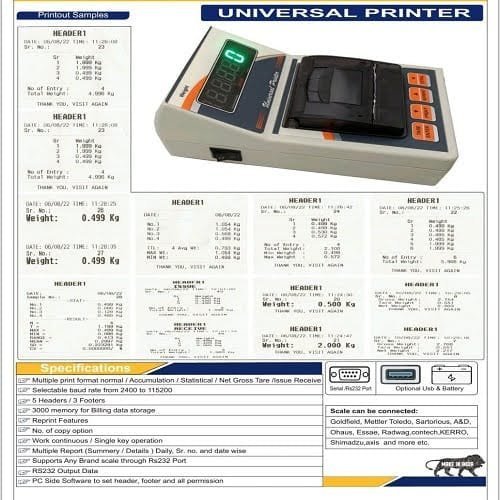
| Document Printer | Thermal receipt printer or standard office printer | Prints weighment slips, packing lists, delivery challans, bills and reports. |
| Barcode Scanner | Wired, wireless or industrial handheld scanner | Builds package relationships and verifies material before dispatch. |
| Connectivity | RS-232, USB, Bluetooth, Wi-Fi or Ethernet | Connects scale, printer, scanner, local network, cloud and ERP according to the selected hardware. |
| Deployment | Offline, local network, cloud or hybrid | Matches the factory internet availability, IT policy and reporting requirement. |
Create Customer Orders Directly From the Industrial Touchscreen
The packing process starts with an order. An authorised user can create the order directly on the touchscreen or receive it from the customer’s ERP or central web panel when integration is included. The order may contain the customer, purchase order, product, variant, batch, required quantity, unit-box count, master-box count, pallet structure, weight range, label format and target dispatch date.
The touchscreen shows completed and pending quantities so the operator knows how much remains to be packed. Order controls can prevent packing beyond the authorised quantity. Products not included in the selected order can be hidden or rejected.
Where one customer requires a different label or packing list from another customer, the correct template can be linked to the order. This reduces the risk of using the wrong customer label or document format.
Configurable Order Information
- Customer name, code and delivery location
- Purchase, sales or production order reference
- Product, variant, grade, size and drawing number
- Batch, lot, heat, machine, line or shift
- Required quantity in pieces, boxes, kilograms or packages
- Pieces per unit box and unit boxes per master box
- Master boxes per pallet
- Minimum and maximum approved weight range
- Barcode, label and document formats
- Dispatch date, transporter, vehicle and delivery reference
Check Weighing and Conditional Label Printing for Unit Boxes
Weight Verification Before Unit-Box Label Printing
After the operator selects the correct order and product, the unit box is placed on the scale. The software receives live weight from the indicator and compares the stable value with the approved minimum and maximum for that product and packing quantity.
If the unit box is within range, the system accepts the transaction and prints a barcode or QR-code label. The label can include customer, product, quantity, batch, weight, operator, date and a unique serial number.
If the package is underweight or overweight, the accepted label is not printed. The operator receives a clear message and can investigate missing components, extra components, incorrect packaging or the wrong product selection.
Check-Weighing Benefits
For auto parts and consistent manufactured components, the system can help detect missing or additional pieces by package weight. The weight of one part must be meaningfully larger than the combined variation of the parts, packaging and weighing system.
This process does not replace all quality checks. It adds an automated control before the package receives an accepted barcode. The final tolerance should be established with real products and packaging during validation.
Scan Unit Boxes, Verify the Master Box and Print the Carton Label
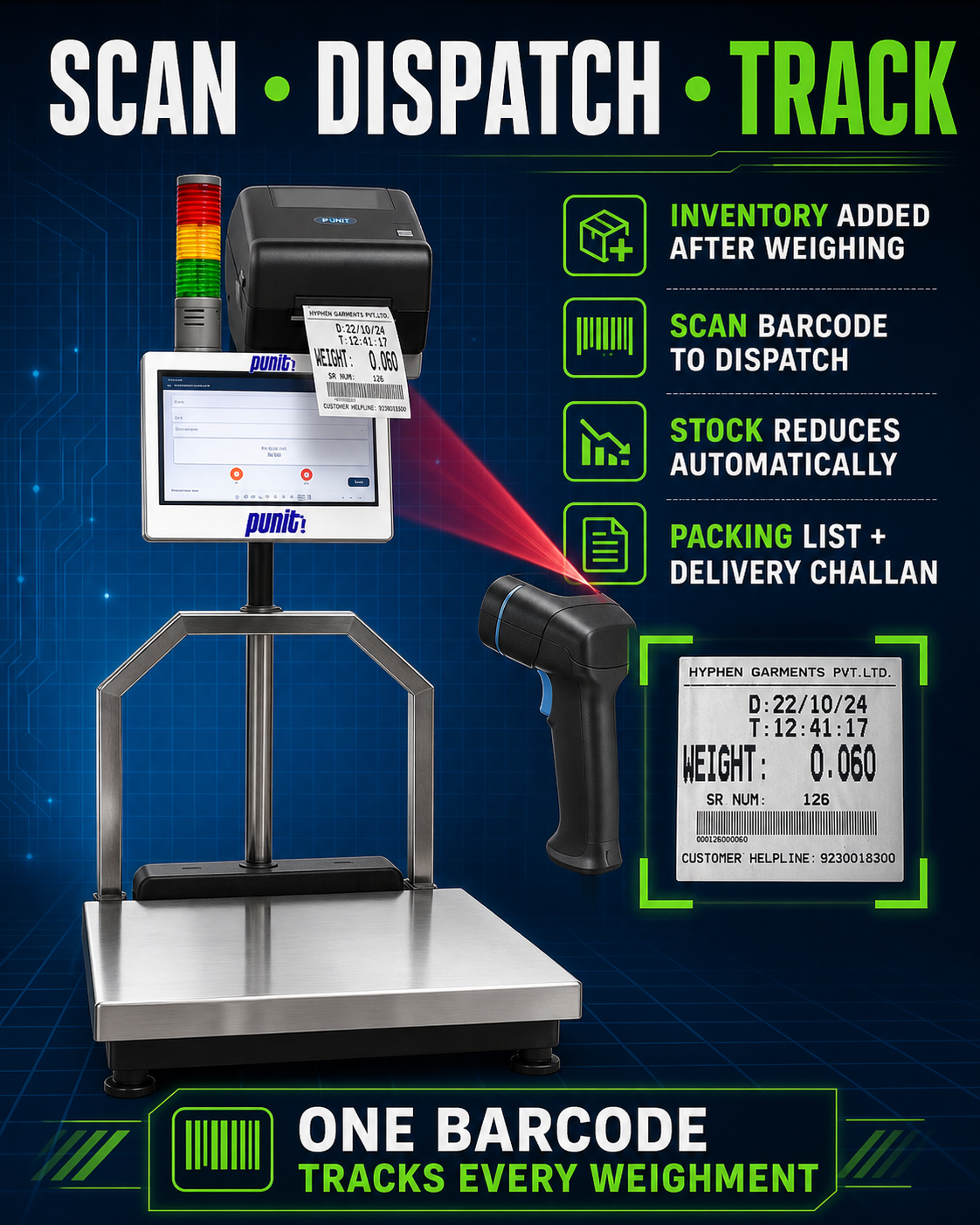
After the unit-box label is printed, its barcode is scanned while the box is placed inside the master carton. The software confirms that the scanned package belongs to the selected customer order, product and batch. The same barcode cannot be included twice.
The screen displays the required unit-box count and completed scans. When the carton reaches the approved count, the master box is placed on the weighing platform. The measured weight is compared with the configured range for that carton.
The master-box label is printed only when the required unit boxes have been scanned and the master-box weight is accepted. If the count is incomplete, the wrong product is scanned, a barcode is duplicated or the weight is outside range, accepted printing remains blocked.
The unique master-box barcode becomes the parent identity for every unit box contained inside it. Downstream users can scan one carton barcode and retrieve the complete package composition.
Master-Box Label Fields
- Customer and customer-order reference
- Product, part number and variant
- Batch, lot, drawing or production reference
- Number of unit boxes and total pieces
- Gross, tare and net weight
- Master-box serial number
- Manufacturing or packing date
- Operator, machine, line or shift
- Unique barcode or QR code
- Customer-specific delivery or compliance information
Scan Master Boxes, Verify the Pallet and Generate Final Documents
01
Scan Master Boxes
Every accepted master-box barcode is scanned while the pallet is built. The system verifies order, product, batch and available status.
02
Verify Pallet Weight
The completed pallet is weighed on a suitable platform or floor scale and compared with approved or calculated limits.
03
Print Pallet Label
A unique pallet barcode links the contained master boxes and all underlying unit-box transactions.
04
Update Inventory
Finished-goods stock, order progress and packed status update from the confirmed transactions.
05
Create Packing List
Package count, barcode, product, quantity and weight are compiled into the approved format.
06
Complete Dispatch
Delivery challan, bill, dispatch slip or ERP posting is created after final authorised confirmation.
Packing List, Delivery Challan, Bill and Dispatch Document Printing
The same order and package records can be used to produce the required dispatch and commercial documents. This is one of the strongest differences between a normal scale and a weighing scale with packing list or bill printing.
| Document | Possible Information | Operational Use |
|---|---|---|
| Packing List | Customer, order, product, unit boxes, cartons, pallets, barcodes, quantity, gross, tare and net weight | Shows exactly what was packed and prepared for dispatch. |
| Delivery Challan | Consignor, consignee, address, order, product, quantity, package count, weight and delivery reference | Supports physical movement of material in the approved company format. |
| Weight Bill | Customer, product, quantity, rate where configured, weight, transaction number and date | Creates an immediate printed commercial or transaction record. |
| Weighment Slip | Gross, tare, net, product, batch, operator, scale and time | Provides a compact weight record for internal or customer use. |
| Dispatch Slip | Scanned barcodes, customer, order, packages, vehicle and dispatch time | Documents the material that actually left the facility. |
| ERP Transaction | Mapped order, material, batch, quantity, weight and status fields | Synchronises the completed weighing and packing result with the main system. |
The document logo, address, numbering, terms, signatures and fields can be configured according to the approved company format. Where a formal tax invoice or statutory document is required, the customer must provide the legally approved details and numbering rules. The system can print the approved format but does not independently determine tax or legal compliance.
Barcode Scanning From Unit Box to Master Box and Pallet
Unit
Unique Unit-Box Barcode
Identifies one accepted package and links it to product, order, weight, batch and operator.
Master
Master-Box Parent Barcode
Links multiple unit boxes with one verified carton and prevents duplicate inclusion.
Pallet
Pallet Parent Barcode
Links accepted cartons with the final pallet, shipment or dispatch group.
A product barcode identifies the type of material. A unique transaction barcode identifies one particular unit box, carton or pallet. The system can use both. Product codes support selection and validation, while unique codes support package-level traceability.
During dispatch, scanning the pallet barcode can retrieve all contained cartons and unit boxes. The customer may require pallet-level confirmation, carton-by-carton scanning or both. Already dispatched, cancelled, wrong-order or blocked barcodes can be rejected.
Automatic Inventory Management From Verified Packing Transactions
The weighing scale with inventory management creates stock from physical, accepted packages. After a unit box, master box or pallet is successfully verified and labelled, its inventory status can be updated according to the selected workflow.
Inventory can be managed by product, batch, barcode, carton or pallet. Barcode-wise stock provides the strongest traceability because the system knows which individual packages are available, reserved, transferred, blocked or dispatched.
Finished-goods inventory can be reserved against a customer order. When dispatch is confirmed, the scanned packages are deducted. This helps ensure the packing list and available stock reflect the same physical material.
Inventory and Packing Reports
- Product-wise and customer-wise available stock
- Unit-box, master-box and pallet inventory
- Barcode-wise current package status
- Batch, order and production-date stock
- Packed but not dispatched material
- Reserved stock against customer orders
- Warehouse and location-wise inventory
- Dispatched and cancelled barcode history
- Stock movement and transfer history
- ERP synchronisation and pending status
Industrial Touchscreen for Order, Weight, Scan, Print and Dispatch
The industrial touchscreen keeps the complete process at the weighing station. The operator can create or select an order, choose the product, view live weight, scan packages, print labels and generate documents without moving between multiple computers.
Large buttons and status messages can show the customer, order, product, live weight, required range, accepted or rejected result, completed scans and remaining quantity. Underweight, accepted and overweight conditions can be shown clearly.
User permissions control who can create orders, edit masters, reprint labels, cancel transactions, approve exceptions, generate documents or complete dispatch.
Touchscreen Functions
- Customer, order and product selection
- Live stable weight display
- Tare selection and net-weight calculation
- Minimum and maximum weight indication
- Unit, master-box and pallet screens
- Barcode scanner confirmation
- Label and document print commands
- Order, inventory and dispatch status
- Supervisor approval and controlled reprint
- Offline queue and synchronisation status
Barcode Labels, Weight Bills, Packing Lists and Delivery Challans
Label
Barcode Label Printer
Prints adhesive unit, carton and pallet labels. Direct thermal may suit short-life labels, while thermal transfer is considered for stronger durability.
Slip
Thermal Receipt Printer
Prints compact weighment slips, internal bills, transaction receipts and dispatch slips directly at the scale.
A4
Full-Size Document Printer
Prints detailed packing lists, delivery challans, invoices and reports where a larger format is required.
Printer choice depends on document size, print life, barcode quality, label surface and environment. Labels exposed to abrasion, moisture, heat or long storage should be tested using the final printer, label, ribbon, scanner and package surface.
Offline, Cloud, SAP and ERP-Integrated Weighing
Offline, Cloud and Hybrid Deployment
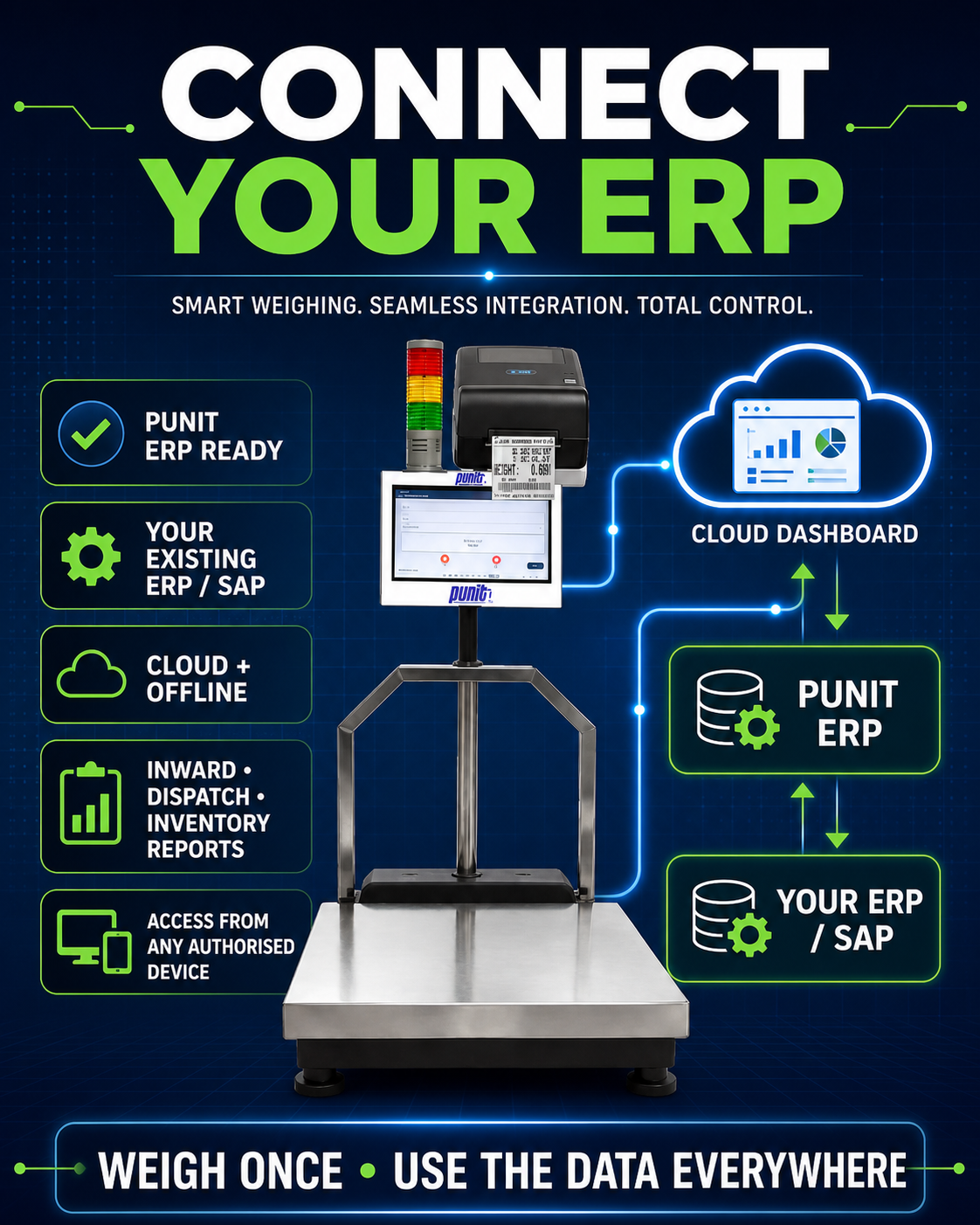
The system can run as a standalone offline application, local-network system, cloud-connected platform or hybrid deployment. A local or hybrid application can continue weighing, scanning and printing during temporary internet failure. Completed transactions remain in a visible queue and synchronise after connectivity returns.
Cloud software allows authorised management to review orders, packing, inventory and dispatch remotely. Multi-location systems may use central product masters, customer data, label templates and reports.
SAP and ERP Integration
The application may fetch customer, product, order, batch or delivery data from an ERP and return the completed package, quantity, weight and dispatch transaction. This avoids duplicate entry while keeping the ERP as the primary business system.
Integration may use an approved API, middleware, file exchange or customer-authorised method. SAP Business One, SAP S/4HANA, SAP EWM, Tally, ERPNext, Odoo and custom ERP connections can be evaluated according to the actual available interface.
Industries Using a Weighing Scale With Packing List and Barcode Scanner
Auto
Auto Parts Manufacturing
Verify unit boxes, cartons and pallets while maintaining customer order, part number, quantity and packing traceability.
Parts
Machined Components
Manage boxes in kilograms and pieces, print part labels and generate customer packing documents.
Fasteners
Nuts, Bolts and Small Parts
Use weight range and average unit weight for suitable consistent components and packages.
Electrical
Electrical Components
Verify product-wise boxes, scan smaller packs into cartons and generate order-specific labels.
Polymer
Plastic and Packaging
Track bags, packets, rolls, containers and finished packages through weight, labels and dispatch.
Metal
Steel, Aluminium, Brass and Copper
Print bundle, coil, component and box labels and generate packing lists from verified material.
Warehouse
Warehouse and Distribution
Receive, repack, label, scan, create inventory and generate dispatch documents from one station.
Food
Food and Ingredient Packing
Use suitable stainless-steel hardware and approved labels for batch and package control.
Chemical
Chemical and Industrial Materials
Identify drums, bags and containers with product, batch, gross, tare, net and dispatch information.
Complete Features of the Punit Weighing and Packing Automation System
| Feature | How It Works | Operational Benefit |
|---|---|---|
| Order Creation | Create or import customer, product, quantity and packing requirements. | Provides one controlled reference for every packing transaction. |
| Live Weight Capture | Reads stable weight directly from a compatible indicator. | Reduces manual typing and wrong decimal entry. |
| Check Weighing | Compares package weight with configured limits. | Blocks incorrect packages before accepted printing. |
| Conditional Printing | Prints only when product, scan count and weight conditions are satisfied. | Prevents unverified material from receiving an accepted label. |
| Barcode Scanning | Scans lower-level packages into higher-level containers. | Creates traceable unit-to-carton-to-pallet relationships. |
| Unique Serial Numbers | Generates unique identities for accepted packages. | Supports item-level tracking and duplicate-dispatch prevention. |
| Inventory Management | Creates, reserves, transfers and deducts stock. | Connects physical packing with available inventory. |
| Packing List | Compiles accepted packages into the approved document. | Reduces manual preparation and package mismatch. |
| Delivery Challan | Uses order and dispatch data for the approved challan. | Connects the document with actual material movement. |
| Bill or Receipt | Prints transaction, weight or customer-specific formats. | Provides an immediate commercial or internal record. |
| Cloud Reports | Provides authorised dashboards and downloadable reports. | Improves management visibility across shifts and locations. |
| ERP Integration | Fetches masters and exchanges completed transactions. | Avoids repeated entry between packing and ERP teams. |
See Punit Weighing, Label Printing, Inventory and Dispatch Automation
The demonstration shows the connected process from live weight capture to label printing, inventory creation and barcode-based dispatch.
Normal Weighing Scale vs Punit Weighing and Packing System
| Capability | Normal Scale | Punit System |
|---|---|---|
| Weight Display | Yes | Yes, with direct software capture |
| Order Selection | No | Yes |
| Weight Verification | Manual or indicator-only | Product and packing-level based |
| Conditional Label Printing | No | Yes |
| Barcode Hierarchy | No | Unit, master box and pallet |
| Inventory | No | Integrated option |
| Packing List | Prepared separately | Generated from accepted packages |
| Delivery Challan and Bill | Prepared separately | Created from order and dispatch data |
| ERP Integration | No | Available according to scope |
Business Benefits
- Reduce manual weight entry and repeated document typing
- Block accepted label printing for incorrect weight
- Prevent duplicate and wrong-product barcode scanning
- Maintain unit-box, carton and pallet traceability
- Create packing lists from material actually packed
- Improve agreement between inventory and dispatch
- Reduce missing-part and excess-part packing errors
- Standardise customer-specific labels and documents
- Track operator, order, package and weight history
- Integrate weighing with warehouse and ERP systems
How Punit Configures the Complete System for Your Factory
1
Process Study
Review order, weighing, packing, scanning, document and dispatch operations.
2
Hardware Selection
Select capacity, platform, touchscreen, printer, scanner and connectivity.
3
Format Approval
Approve labels, packing list, challan, bill, barcode and report formats.
4
Configuration
Configure products, tolerances, package hierarchy, inventory and users.
5
Integration
Connect ERP, cloud or local network where included.
6
Testing
Test correct, underweight, overweight, duplicate and printer-failure cases.
7
Training
Train operators, supervisors and administrators.
8
Go-Live
Complete acceptance, rollout, backup and support responsibilities.
Information Required for an Accurate Quotation
Hardware
Scale and Package
Maximum and minimum weight, readability, unit-box size, carton size, pallet size, construction and loading method.
Process
Packing Hierarchy
Pieces per unit box, unit boxes per master box, cartons per pallet and allowed range at each level.
Labels and Documents
Label dimensions, barcode, packing list, delivery challan, bill, logo and required fields.
Software
Orders and Inventory
Customer masters, variants, stock rules, dispatch process, users and reports.
Integration
ERP and Network
ERP name, API, network restrictions, cloud preference and offline requirements.
Environment
Factory Conditions
Dust, moisture, cleaning, power, scanner distance, printer location and operator flow.
Weighing Scale With Packing List, Bill Printing and Barcode Scanner FAQs
Can the weighing scale generate a packing list?
Yes. The software can compile completed unit boxes, master boxes and pallets into a customer- and order-specific packing list containing quantity, packages, barcodes and weight details.
Can it print a delivery challan?
Yes. Delivery-challan printing can use approved customer, delivery, order, product, quantity, package and weight information. The customer must approve the final legal and company format.
Can it print a bill or invoice?
It can print a weight bill, transaction bill, dispatch bill or customer-specific format. Tax-invoice integration requires approved accounting data and should be scoped with the customer’s ERP or accounts team.
Does it have a touchscreen?
Yes. The industrial touchscreen supports order creation, product selection, live weight, tolerance checking, barcode scanning, inventory and document printing.
Can the label print only when the weight is in range?
Yes. Conditional printing can block the accepted label when the package is below or above the configured range.
Can it check unit boxes, master boxes and pallets?
Yes. Separate packing levels, expected counts, target weights, tolerances and label formats can be configured.
Can unit boxes be scanned into a master box?
Yes. Each accepted unit-box barcode can be scanned into a master box. Duplicate and wrong-order scans can be blocked.
Can master boxes be scanned onto a pallet?
Yes. Accepted carton barcodes can be assigned to a pallet, and the completed pallet can be weighed and labelled.
Does the system update inventory?
Yes, when the inventory module is included. Stock can be created, reserved, transferred and deducted according to packing and dispatch.
Can it work without internet?
An offline or hybrid configuration can continue local weighing, scanning and printing during temporary internet failure and synchronise later.
Can it connect with SAP or another ERP?
Yes, when the customer provides an approved interface such as an API, middleware or file method.
Can an existing scale be connected?
Potentially. The existing indicator must provide a stable and compatible digital output and should be tested before confirmation.
Which printer is required?
Barcode labels normally use direct-thermal or thermal-transfer printers. Slips may use receipt printers, while packing lists and challans may use a standard document printer.
Can the system count pieces using weight?
For suitable consistent components, an approved average unit weight can estimate pieces. Accuracy depends on part variation, package variation and scale readability.
What determines the price?
Scale capacity, platform size, touchscreen, indicator, printers, scanners, software modules, cloud services, document formats and ERP integration all affect price.
Is it suitable for auto-parts manufacturing?
Yes. It is designed for customer-order packing, component quantity verification, unit-box labels, master-box verification, palletisation and packing-list traceability.
Build Your Complete Weighing, Packing, Barcode, Inventory and Dispatch System
Share your customer-order flow, product details, unit-box and master-box packing rules, weight range, barcode format, packing list, delivery challan, bill and ERP requirements. Punit Instrument will recommend the correct hardware and software configuration.