

How to Choose the Right Weighing Scale With Printer for Your Business
A weighing scale with printer can be as simple as a scale that prints a weight slip—or it can become a complete production, barcode, inventory, check-weighing and dispatch automation system. This guide explains what to choose, what can be customised, and which configuration makes sense for different industries.
When businesses search for a weighing scale with printer, they often start with capacity: 100 kg, 300 kg, 500 kg, 1 ton or 2 ton. Capacity is important, but it is only one part of the decision.
The bigger question is what should happen after the product is placed on the scale.
A manufacturer may require only gross, tare and net weight on a receipt. Another may need an adhesive barcode label with product, batch, colour, size and QR code. A third may want every accepted weighment to automatically create stock in the inventory system and then deduct that exact stock when the barcode is scanned during dispatch.
If you already know that you need a complete industrial solution, first review the Punit Weighing Scale With Printer. This guide is designed to help you decide which configuration is actually suitable for your process.
1. Start With the Business Process, Not the Weighing Machine
Before comparing specifications, map the complete process around the weighing scale. This prevents buying a scale that can measure the product but cannot support the actual manufacturing or warehouse workflow.
Keep answers ready for these questions:
- What product are you weighing?
- What is the minimum normal product weight?
- What is the maximum possible product weight?
- What platform size is physically required?
- Do you need gross, tare and net weight?
- Do you need a receipt or an adhesive label?
- What product fields need to appear on the label?
- Do you need a barcode or QR code?
- Do you maintain stock in kilograms, pieces, rolls, bags, bundles or all of them?
- Should every weighment automatically become inventory?
- Will the barcode be scanned during dispatch?
- Do you need an automatic packing list or delivery document?
- Do you need UNDER / OK / OVER weight verification?
- Does label printing need to be blocked if weight is outside tolerance?
- Do you have one scale or many scales?
- Does the system need to work offline?
- Do you want cloud reporting?
- Does data need to move to SAP, ERP, WMS, MES or another system?
2. Watch the Complete Weighing Scale With Printer System Working
Before going deeper into the buying criteria, these videos show the difference between a basic weighing scale and a connected weighing automation system from Punit Instrument Pvt. Ltd.
All in One Weighing Scale With Printer — Live Demo
See live weight capture, customised printing, barcode/QR, software and digital weighing records in one workflow.
Tower Light + Check Weighing + Conditional Label Printing
Useful when the label should print only after the product is verified against an acceptable weight range.
3. Decide Whether You Need a Receipt or an Adhesive Product Label
Receipt Printing Weighing Scale
A receipt-printing configuration is suitable when the main requirement is transaction documentation rather than attaching a permanent identity to the product.
A typical receipt can contain:
- Transaction number
- Product
- Customer
- Gross weight
- Tare weight
- Net weight
- Date
- Time
- Operator
For a straightforward receipt-printing requirement, review the Receipt Printing Platform Weighing Scale.
Barcode Label Printing Weighing Scale
If the printed output must remain attached to a roll, bundle, box, bag, coil or manufactured product, an adhesive barcode label is usually the better approach.
A connected industrial weighing scale with printer can be configured to print product identity and actual captured weight in one transaction.
Possible fields include:
- Company name and logo
- Product name
- Product code
- Customer
- Order number
- Batch / lot
- Gross weight
- Tare weight
- Net weight
- Pieces
- Length / width / size
- Micron / thickness / GSM
- Colour
- Manufacturing date
- Expiry date
- Barcode
- QR code
- Custom production fields
4. Real Label Examples: How Much Can a Weighing Scale With Printer Be Customised?
The following are real label photographs from different Punit Instrument Pvt. Ltd. customer applications. They show why there is no single universal label format for industrial weighing.
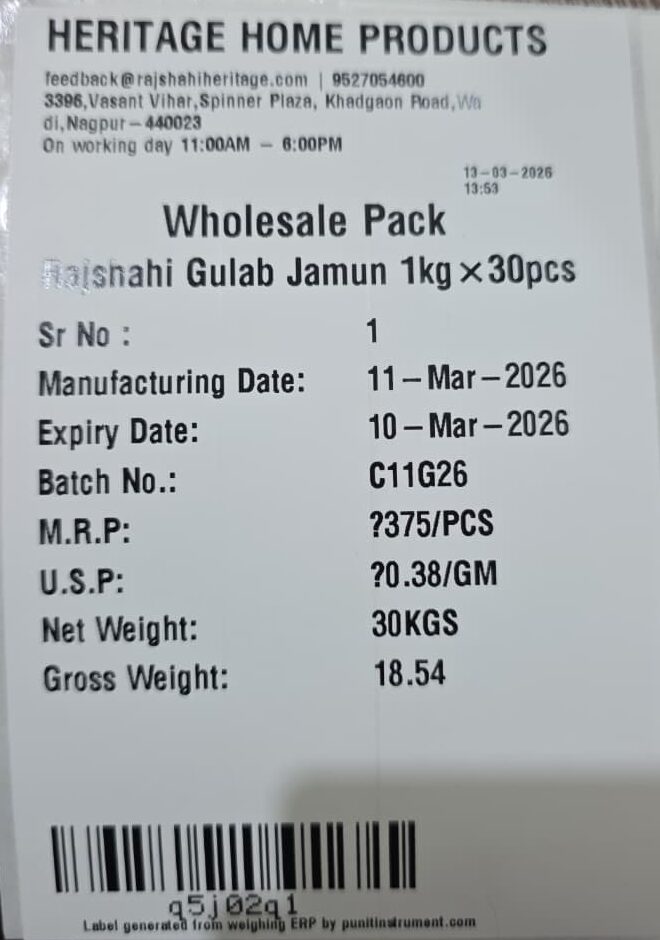
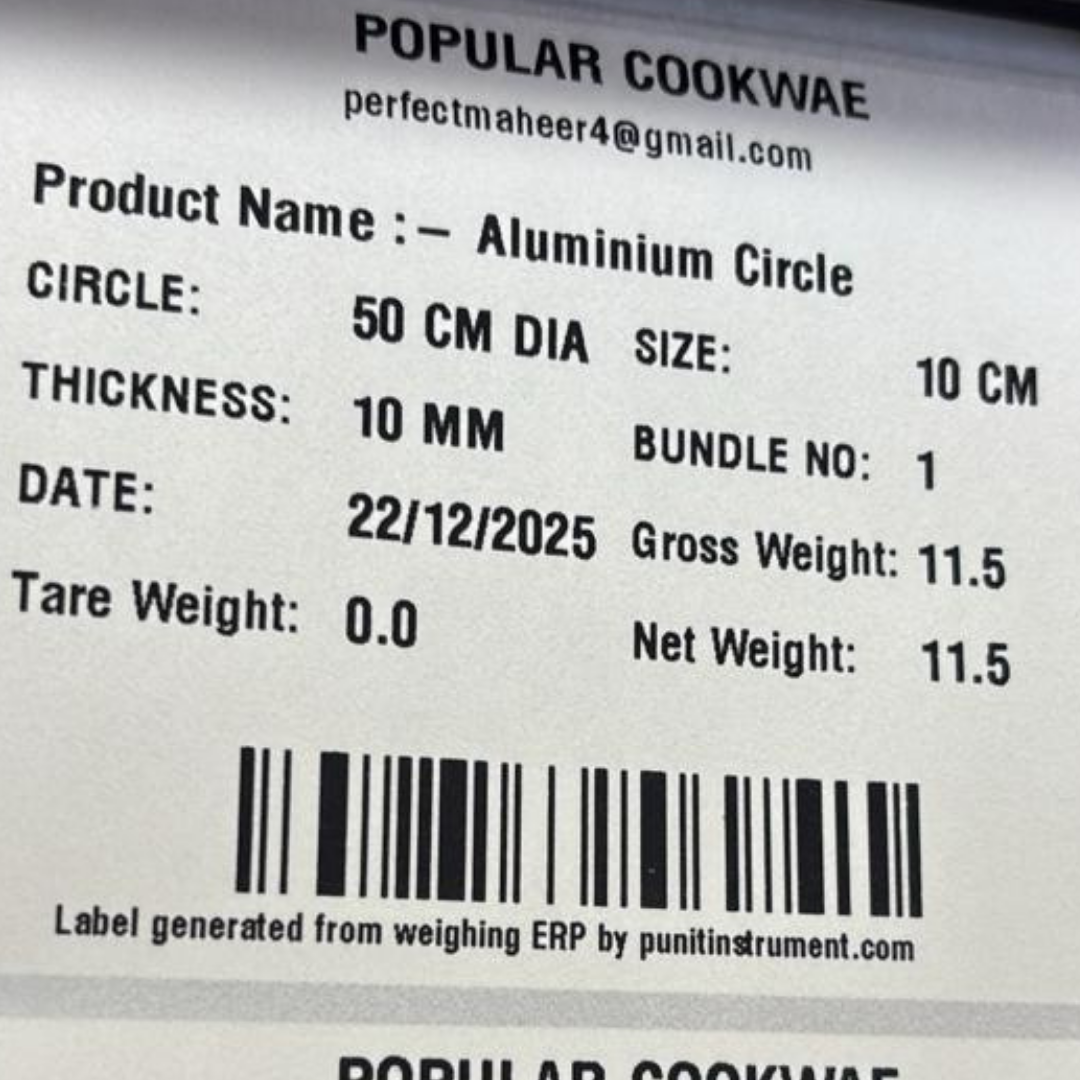
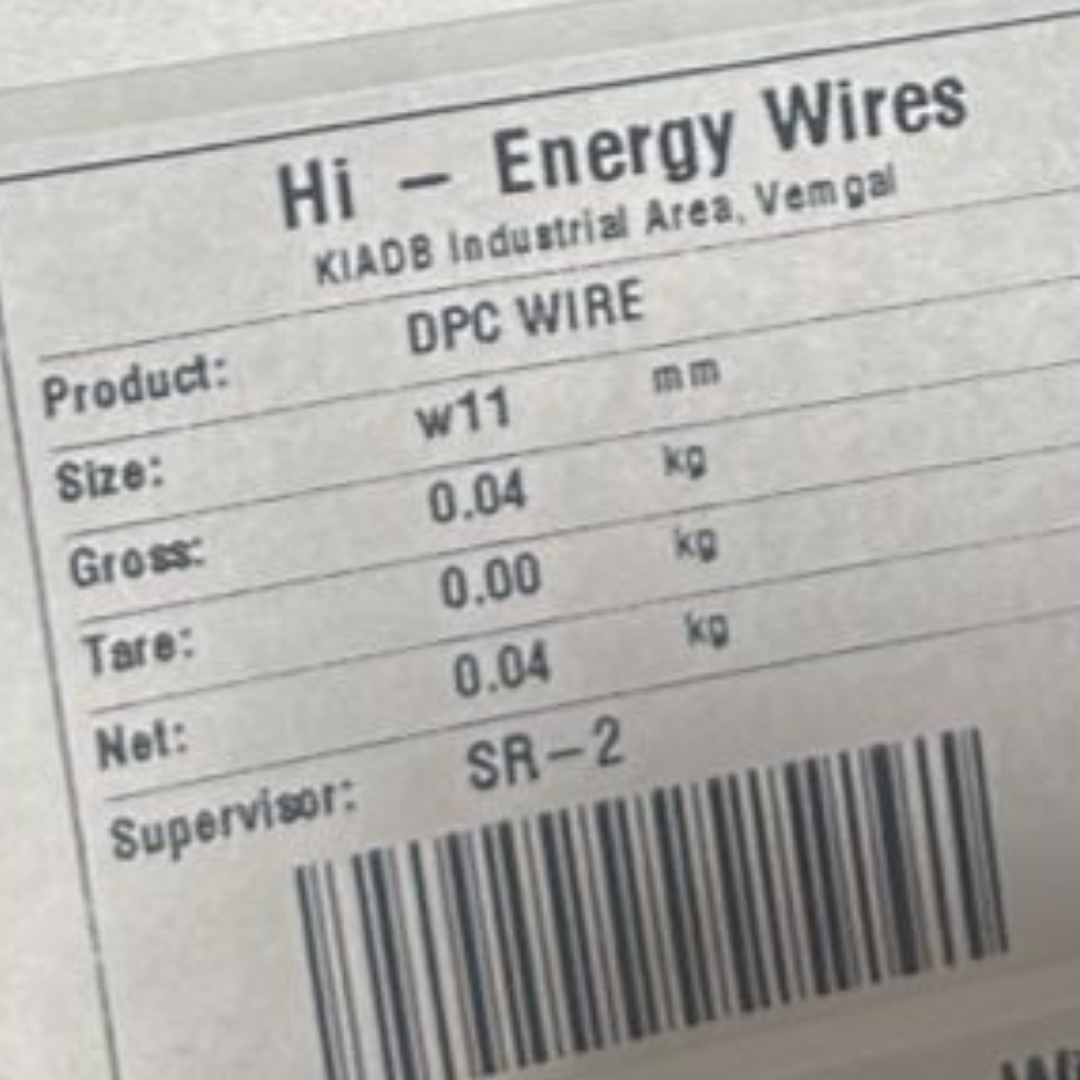
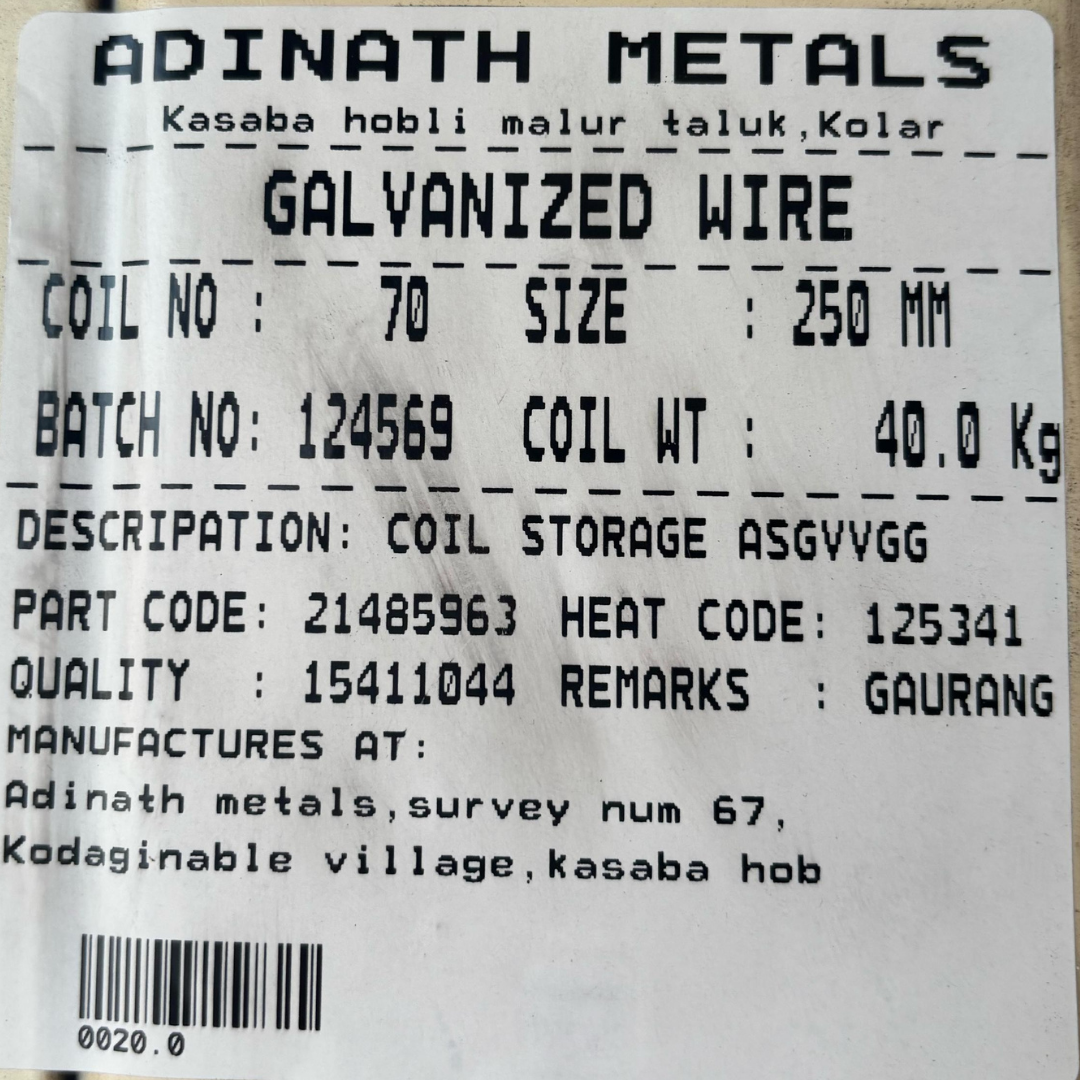
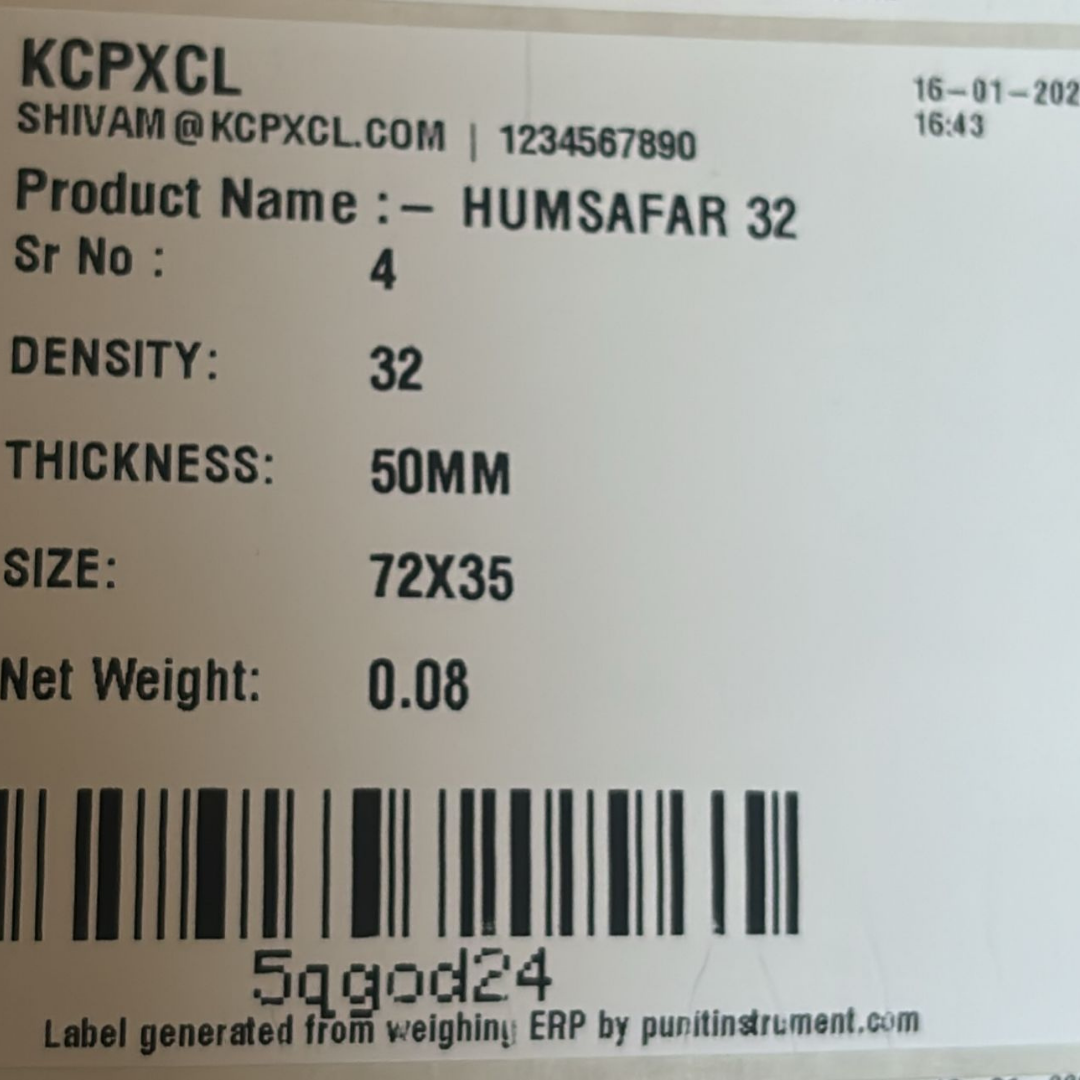
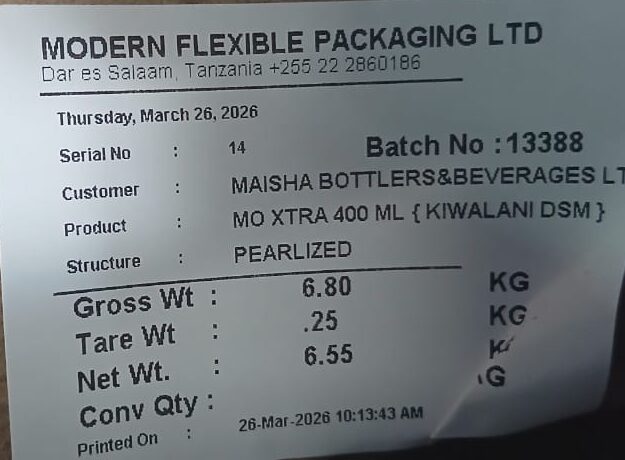
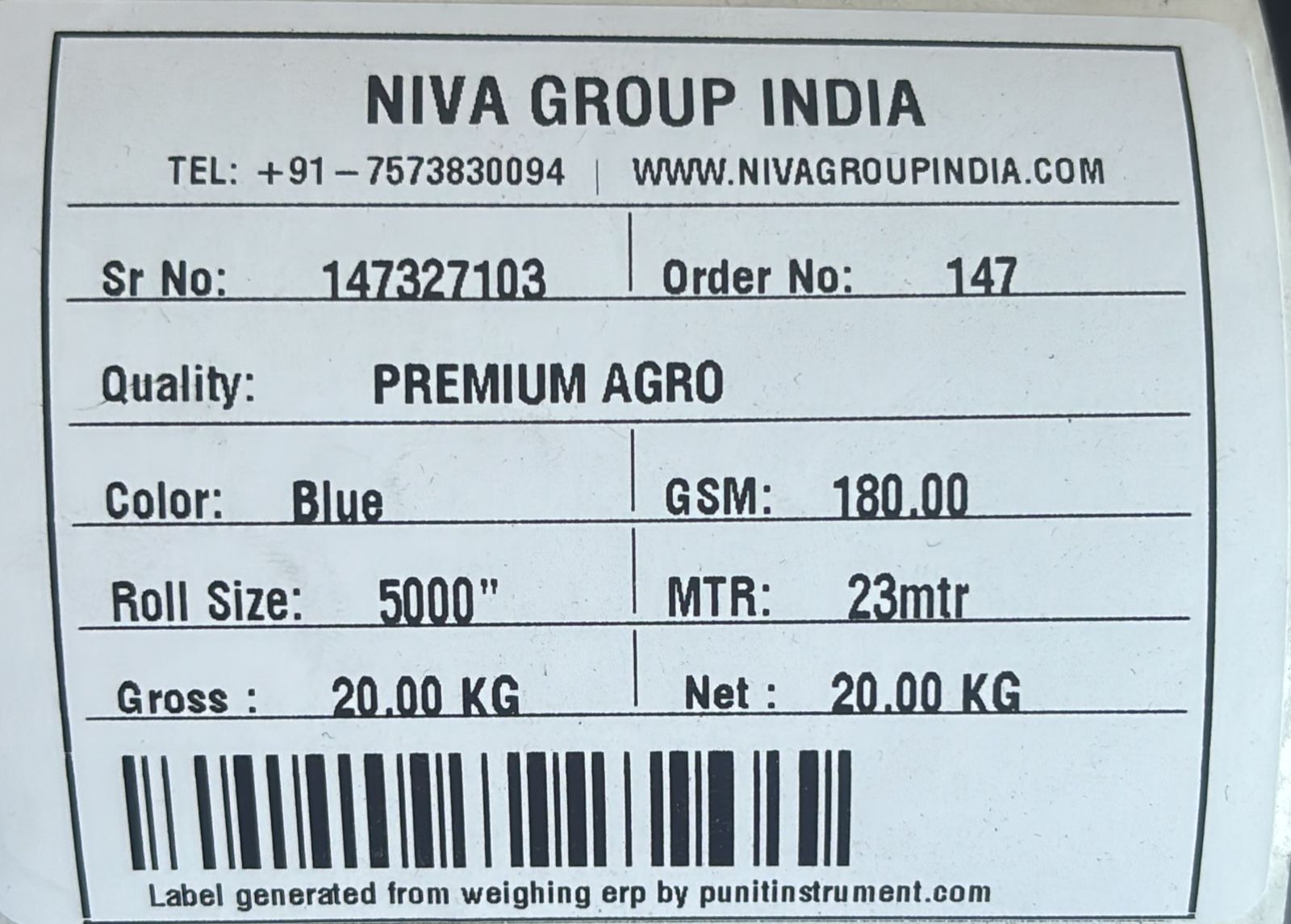
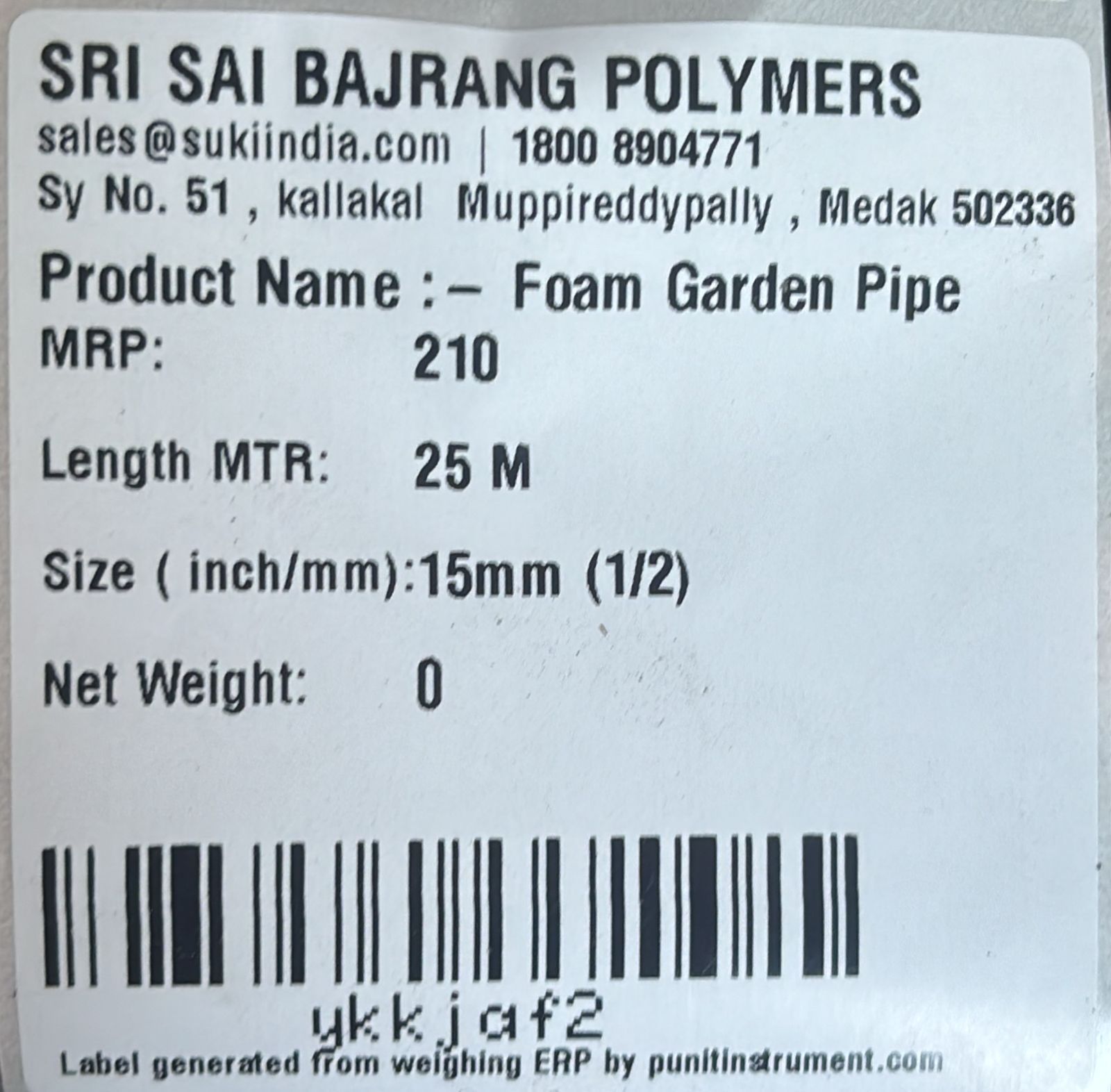
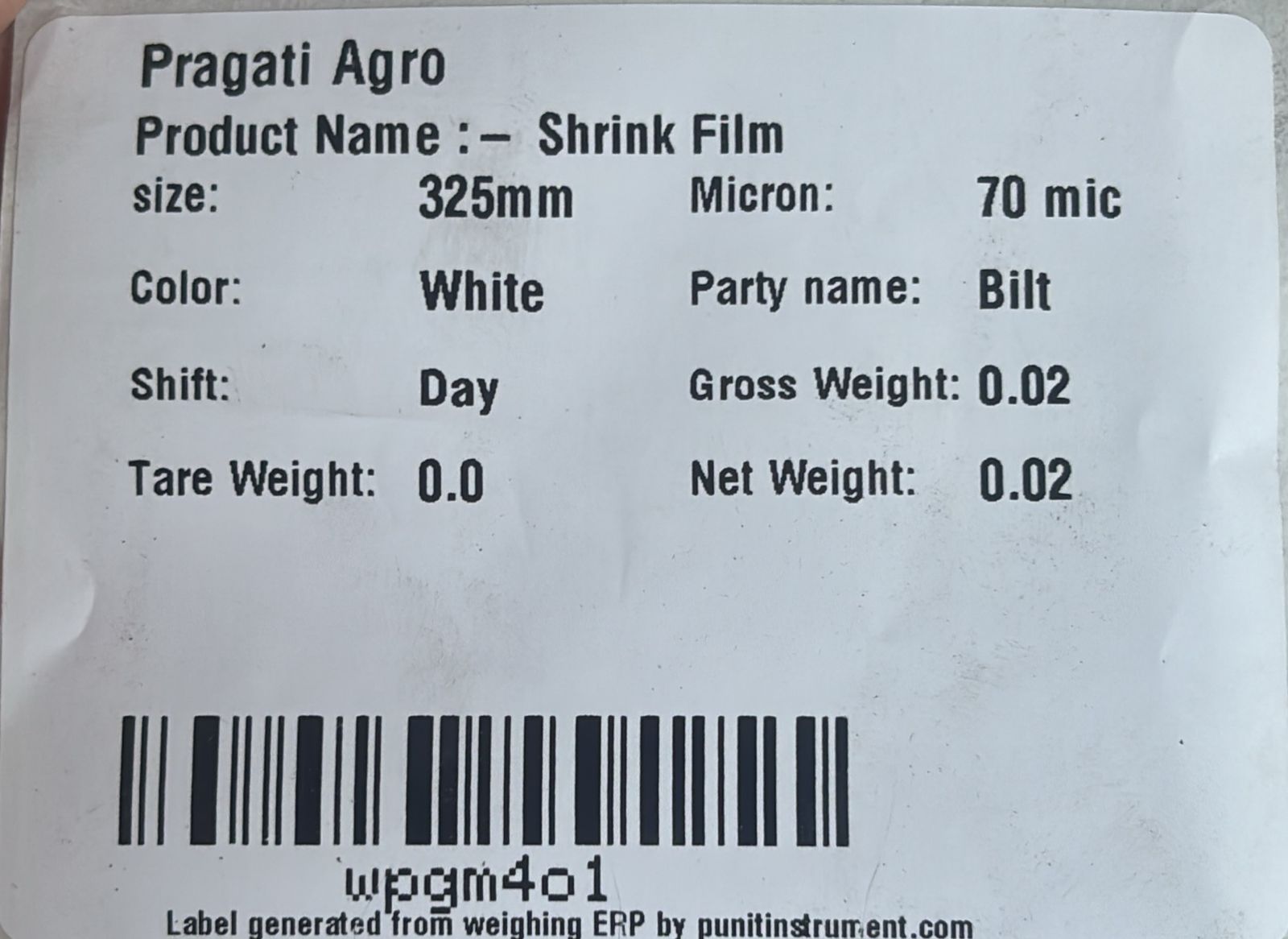
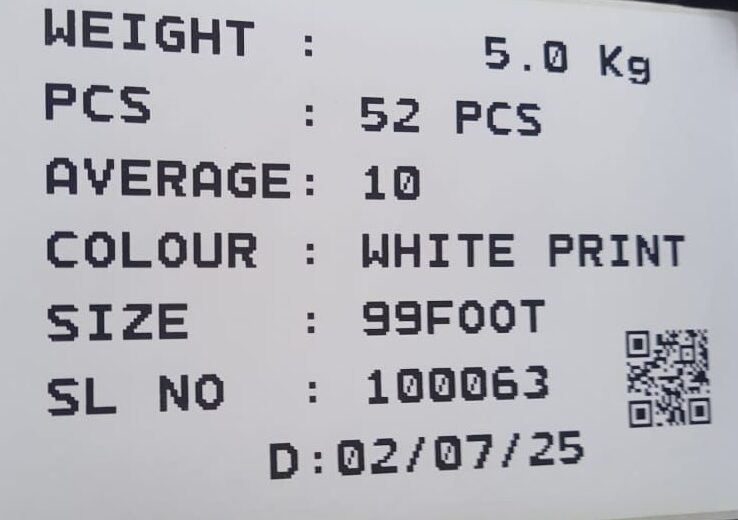
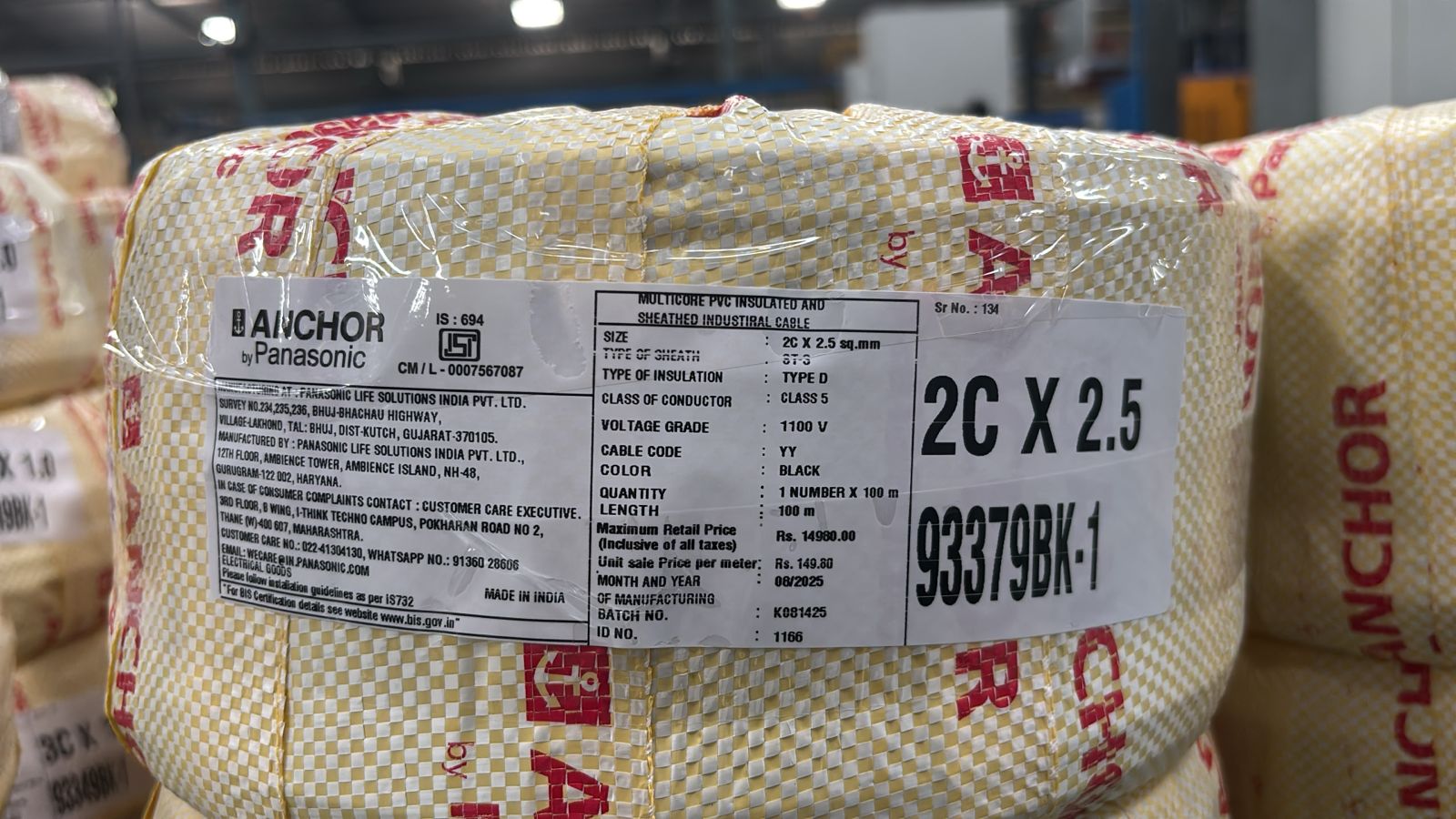
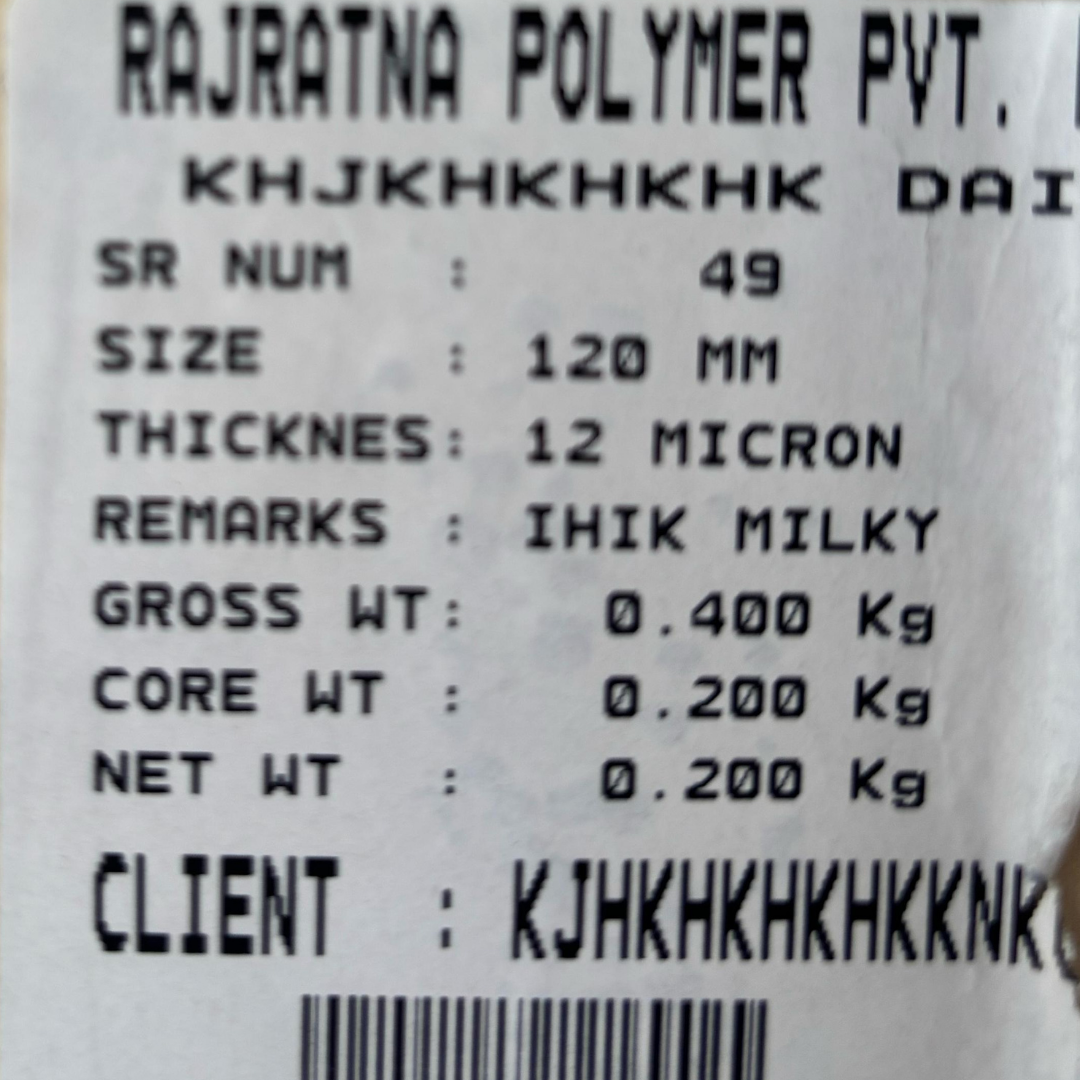
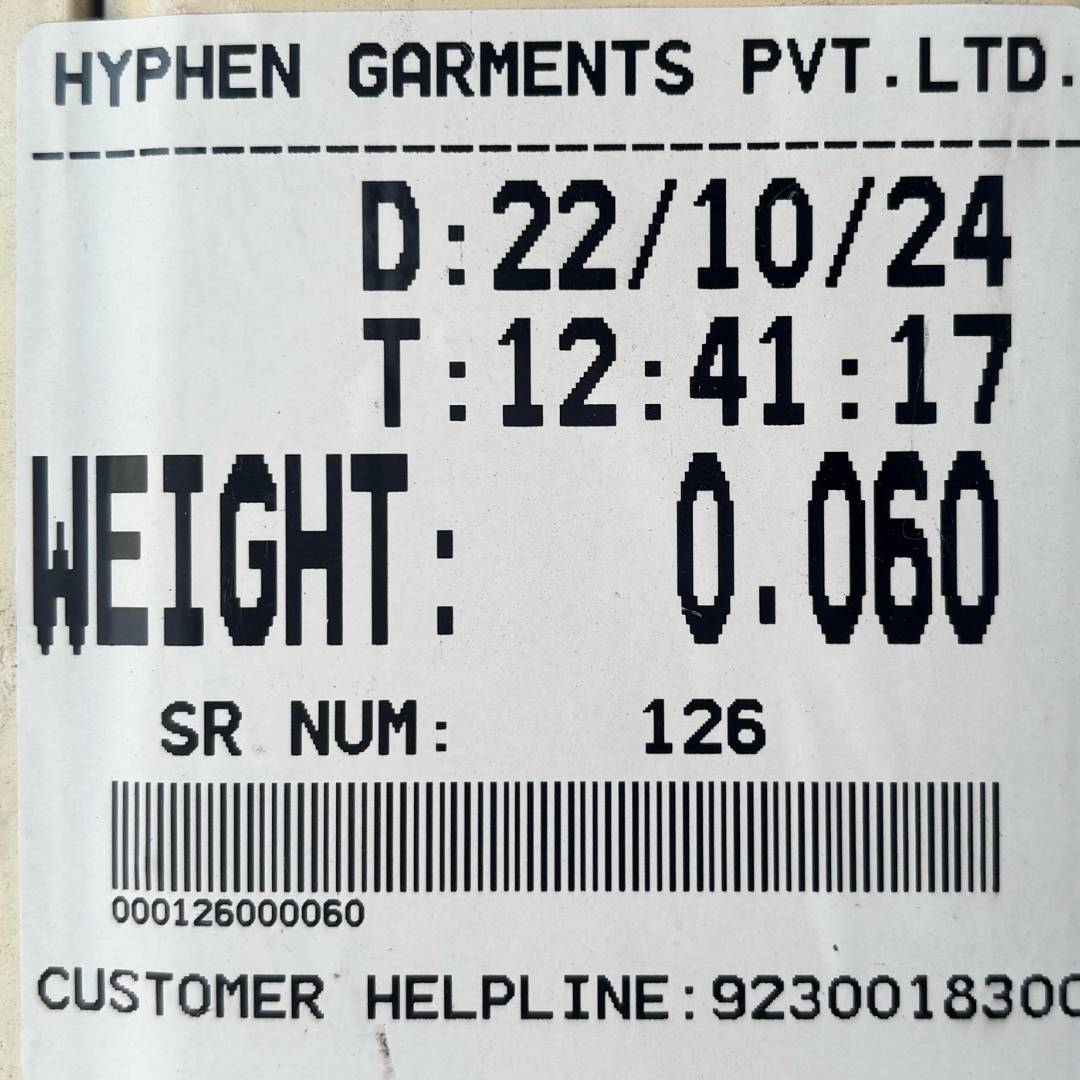
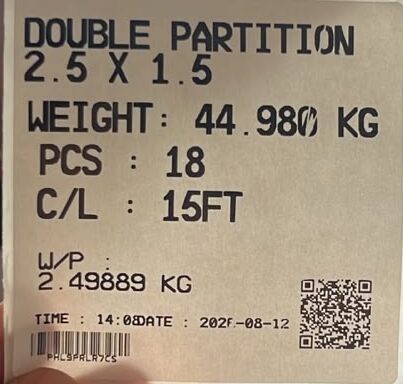
These examples demonstrate an important buying criterion: the printer is only the output device; the software determines how intelligent and customised the label can become.
5. Choose the Right Capacity
Capacity is the maximum weight a scale is designed to handle, but choosing a capacity purely from your normal product weight can create problems later.
Consider:
- Maximum normal weight
- Maximum occasional weight
- Tare of crates, pallets or containers
- Future heavier products
- Overload conditions
- Platform dimensions
For example, if most bundles weigh 120 kg but some reach 180 kg, selecting a scale only because “150 kg is close enough” is not a good engineering decision.
6. Capacity, Readability and Process Accuracy Are Different
A high-capacity scale does not automatically provide fine readability. A 2-ton platform scale and a 200 kg platform scale can have very different divisions and suitability.
The useful question is:
If you want to identify a missing component in a package, the scale’s readability and the natural product/packaging variation both matter. A process should be validated using actual samples rather than assuming that any scale can reliably detect any missing part.
7. Choose the Right Platform Size
The weighed product should fit the platform safely and consistently.
- Small boxes may use a bench platform.
- Industrial bags may use a medium platform.
- Aluminium sections and bundles may require a larger custom platform.
- Pallets may require floor-scale construction.
- Long profiles may require special loading arrangements.
Capacity and platform dimensions should therefore be selected together.
8. Mild Steel or Stainless Steel?
Mild Steel
Suitable for many general industrial, engineering, metal and warehouse applications.
Stainless Steel
Commonly selected for pharmaceutical, food, chemical, wet, corrosive or hygiene-sensitive environments. The correct construction should depend on actual cleaning and environmental requirements.
9. Receipt Printer vs Barcode Label Printer
| Requirement | Receipt Printer | Barcode Label Printer |
|---|---|---|
| Simple weight slip | Excellent | Possible |
| Adhesive product identification | No | Yes |
| Barcode / QR | Limited | Recommended |
| Inventory scanning | Not ideal | Recommended |
| Bundle / roll traceability | Limited | Excellent |
| Custom manufacturing fields | Basic | Advanced |
10. Direct Thermal or Thermal Transfer?
Direct thermal can work for shorter-life labels where long-term durability is not important. Thermal transfer uses a ribbon and is generally considered when labels need better resistance during storage, warehouse handling and transportation.
The right choice depends on label material, expected life, environment and printing volume.
11. Do You Need Only Printing—or Inventory Management Too?
If every physical product that gets weighed should automatically become stock, look at the Punit Weighing Scale With Printer & Inventory Management System.
This approach removes one of the most common factory problems: the weight printed on a label is accurate, but inventory is maintained separately and eventually becomes different from the physical material.
12. Real Case Study: Modern Flexible Packaging Ltd., Tanzania
Modern Flexible Packaging Ltd. was weighing flexible-packaging products and maintaining weight records, inventory and dispatch processes manually. Punit Instrument Pvt. Ltd. implemented a connected weighing, label printing and cloud inventory workflow.
Each roll can be weighed and labelled with product, customer, batch, gross, tare and net information. The same weighment is added to inventory. During outward, warehouse staff scan the roll barcode, inventory is deducted and a packing list can be generated from the selected rolls.
13. Do You Need Pieces as Well as Kilograms?
Many industries manage material in both pieces and kilograms:
- Aluminium extrusion
- Metal sections
- Pipes and tubes
- Wire
- Engineering components
- Automotive components
If the number of pieces is known, the system can store both actual bundle weight and piece quantity. It can also calculate an average weight per piece:
14. Real Case Study: SPM Extrusion Pvt. Ltd.
SPM Extrusion Pvt. Ltd. uses a Punit Instrument Pvt. Ltd. touchscreen weighing scale with printer for aluminium sections and extrusion products.
The operator selects the section, enters cut length and number of pieces, and places the bundle on the scale. The actual weight is captured automatically. The system can calculate average weight per piece and print a customised label with barcode and QR code.
The same transaction can create finished-goods inventory. During dispatch, scanning the barcode identifies the exact bundle and reconciles stock.
Read the SPM Extrusion aluminium weighing automation case study →
15. Real Factory Videos Across Different Industries
A buying guide should not rely only on specifications. The following videos show Punit weighing systems operating in customer and factory environments.
FMCG Client Case Study & Testimonial
See an industrial weighing scale with printer implementation in an FMCG environment.
Aluminium Extrusion — SPM Extrusion Pvt. Ltd.
Real use of section selection, pieces, cut length, weight, barcode label and inventory/dispatch workflow.
Aluminium / Wire Industry — Live Factory Video
Industrial weighing, printing and inventory management operating in a live production environment.
FMCG — JK Masale Live Factory Application
Check weighing, label printing and inventory automation in an actual FMCG operation.
16. Do You Need Check Weighing?
For some businesses, printing a label simply means that the product was weighed. For others, printing the label should mean that the product has passed a weight check.
In a check-weighing configuration, each product can have:
- Target weight
- Minimum acceptable weight
- Maximum acceptable weight
If the weight is acceptable, the system can permit the approved label to print. If it is outside range, accepted-label printing can be blocked and a tower light or buzzer can alert the operator.
This is useful for applications such as FMCG, pharma, auto parts, engineering products and packing verification.
17. Static Check Weighing vs Dynamic Checkweigher
Static Check Weighing
The operator manually places a product or carton on the scale. It is suitable for lower-speed, manual or semi-automatic packing operations.
Dynamic Checkweigher
The product moves through an automatic conveyor checkweigher. This is suitable for higher-speed production lines and can support automatic reject mechanisms. A dynamic conveyor checkweigher should not be treated as the same system as a static platform scale.
18. Button-Operated or Touchscreen?
Button-Operated System
A simple button-operated scale can be enough when products are limited, the label format is fixed and there is no advanced inventory or workflow requirement.
Touchscreen Weighing Scale
A touchscreen is more suitable when the operator needs:
- Product selection
- Customer selection
- Order selection
- Dynamic product fields
- Barcode scanning
- Inventory
- Check weighing
- Dispatch
- Cloud reports
- User permissions
- ERP integration
For advanced applications, review the Punit touchscreen weighing scale with printer and inventory management.
19. How Much Can the Entire Weighing System Be Customised?
20. Can You Connect an Existing Weighing Scale to a Printer or Software?
In many cases, yes. Compatibility depends on the existing weighing indicator and the communication options available.
Typical interfaces can include:
- RS-232
- USB
- Bluetooth
- Ethernet
- Other supported serial or network protocols
If you already have a scale and want to capture its weight automatically, read How to Print Real-Time Weight and Barcode From an Existing Weighing Scale.
21. Offline, Cloud or Hybrid?
Offline
Data and operations remain local to the weighing station.
Cloud
Transactions are available centrally for reporting and remote visibility.
Hybrid
For many factories, hybrid operation is the most practical. The shop-floor system can continue weighing and printing locally during a temporary internet interruption and synchronize with the cloud when connectivity returns.
22. Do You Need Centralized Multi-Scale Monitoring?
A factory may have separate scales in production, QC, warehouse and dispatch. Instead of maintaining separate local records, compatible weighing stations can be connected to a centralized system.
23. SAP / ERP Integration
For larger manufacturers, a weighing solution should not necessarily become another isolated software database.
| ERP / SAP → Weighing System | Weighing System → ERP / SAP |
|---|---|
| Products | Actual captured weight |
| Customers | Barcode / QR identity |
| Orders | Production transaction |
| Batches | Inventory inward |
| Warehouse details | Inventory outward |
| Recipe / BOM information | Dispatch / packing data |
Integration depends on the customer’s approved API, middleware, network and ERP architecture. Learn more from the Punit SAP Weighing Scale Integration page.
24. Which Configuration Is Right for Your Industry?
Flexible Packaging, Shrink Film & Stretch Film
Look for roll-wise weight capture, micron, width, core, colour, structure, barcode, inventory and dispatch scanning. The Modern Flexible Packaging and Raj Ratna Polymer examples above show how differently labels can be configured for this industry.
Aluminium Extrusion, Pipes & Sections
Look for product/section master, cut length, pieces, actual bundle weight, calculated average piece weight, barcode/QR, finished-goods inventory and scan-based outward. See the SPM Extrusion case study.
Wire, Cable & Metal Products
Look for coil number, heat code, size, batch, gross/tare/net, product code and barcode traceability. Hi Energy Wires, Adinath Metals and cable-label examples demonstrate the flexibility of industrial labels.
FMCG & Food
Look for product, batch, manufacturing/expiry date, check weighing, conditional label printing, quantity, inventory and dispatch. The FMCG labels and live JK Masale video show this workflow in practice.
Non-Woven Rolls & Bags
Look for GSM, colour, roll size, meters, quality, order number, gross/net weight and barcode inventory.
Polymer Pipes & Foam Products
Look for density, thickness, size, length, MRP where required, weight and barcode.
Garments
For simpler garment or bundle applications, the system may only need weight, serial number, date/time and barcode. The Hyphen Garments label shows how a simple configuration can remain compact and operator-friendly.
25. Which Punit Instrument Pvt. Ltd. System Should You Choose?
| Your Requirement | Recommended Configuration |
|---|---|
| Simple printed weight receipt | Receipt Printing Platform Weighing Scale |
| Adhesive product barcode label | Industrial Weighing Scale With Printer |
| Inventory + barcode dispatch | Weighing Scale With Printer & Inventory Management |
| Existing scale + printing/software | Existing Scale Weight Data Capture & Printing |
| SAP / ERP | SAP / ERP Integrated Weighing System |
| Unique factory SOP | Customized Weighing Automation by Punit Instrument Pvt. Ltd. |
26. Buyer Checklist Before Requesting a Quotation
For a more accurate recommendation, prepare the following:
- Product name / type
- Minimum weight
- Maximum weight
- Required readability
- Product dimensions
- Required platform dimensions
- Mild steel or stainless steel requirement
- Receipt or adhesive label
- Label dimensions
- Fields required on label
- Barcode / QR requirement
- Pieces + KG requirement
- Inventory requirement
- Packing-list requirement
- Dispatch barcode scanning requirement
- Cloud reporting requirement
- Number of weighing scales
- Existing scale details
- ERP / SAP details
- Offline operation requirement
- Factory environment
27. Frequently Asked Questions
Which weighing scale with printer should I buy?
Choose the system from your complete process rather than only maximum capacity. Consider product type, readability, platform size, label format, barcode, inventory, dispatch and integration requirements.
Can a weighing scale automatically print gross, tare and net weight?
Yes. Compatible Punit Instrument Pvt. Ltd. systems can capture the weight directly and print gross, tare and net along with other configured fields.
Can every industry have a different label format?
Yes. The label can be configured around the product and workflow. The real examples on this page include FMCG, aluminium, wire, flexible packaging, shrink film, stretch film, non-woven, garments, foam and cable applications.
Can the system print barcode and QR code?
Yes. Barcode and QR code can be included where required as part of the configured label workflow.
Can the weighing scale update inventory automatically?
Yes. With the inventory module, accepted weighments can create inventory records from actual physical weights.
Can I scan the same barcode during dispatch?
Yes. The barcode created at production or weighing can be used during outward to identify the exact product or bundle and reconcile available inventory.
Can a packing list be generated automatically?
Yes. A packing list can be generated from the items or barcodes selected during dispatch where that workflow is configured.
Can the system calculate weight per piece?
Yes. If the actual bundle weight and piece count are available, the system can calculate an average weight per piece.
Can I connect my existing weighing scale?
Possibly. Compatibility depends on the existing indicator, output interface and communication protocol.
Can the system work if the internet goes down?
A hybrid configuration can be designed so local weighing and printing continue during temporary connectivity loss and data synchronizes later.
Can multiple weighing scales connect to one dashboard?
Yes. Compatible weighing points can be connected to centralized reporting and administration.
Can Punit Instrument Pvt. Ltd. integrate weighing with SAP or ERP?
Yes, subject to the customer’s available API, middleware, network access and approved integration scope.
28. Related Punit Instrument Pvt. Ltd. Resources
Still Not Sure Which Weighing Scale With Printer Configuration You Need?
A simple receipt-printing application does not need the same system as a factory requiring barcode inventory, check weighing, packing lists and SAP integration.
Share your product, maximum weight, required readability, platform dimensions, label format and current process with Punit Instrument Pvt. Ltd.. Our team can recommend the appropriate weighing hardware, printer, touchscreen, barcode scanner and software configuration.
Punit Instrument Pvt. Ltd.
Weighing Automation & Software Since 1999
www.punitinstrument.com